
In This Article
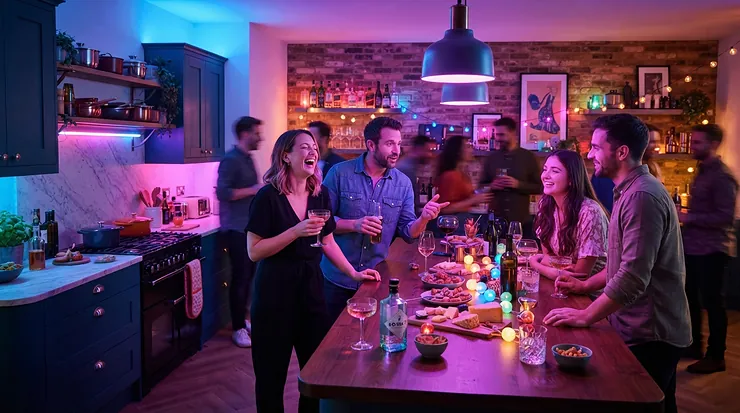
RGB plinth lights kitchen setups are small recessed LED spotlights, or slim LED strips, fitted into the kickboard beneath your base units. They mix red, green and blue light into millions of colours. Run from a remote or an app, they add low-level mood lighting, double as night lights, and cost a fraction of a full lighting overhaul.
Look down. The bottom 10cm of your kitchen is probably a dark, dust-bunny-flavoured void. Lit properly, that strip becomes the quiet showpiece of the room. It gives a soft wash of colour that makes cabinets look as if they’re floating, and it turns a midnight cuppa into something faintly cinematic. 🌈 The catch? The market is a jungle of decking lights, strips, drivers, hubs and “works with Alexa” promises.
So I’ve compared seven genuinely available options. They range from budget remote-controlled kits to hub-free Wi-Fi strips and a premium ecosystem pick. The comparison rests on manufacturer specifications and aggregated reviewer feedback, not guesswork. Expect honest analysis of what each spec means on a real kickboard, who each kit suits, and where the marketing runs ahead of reality. Whether you want a colour changing plinth LED kitchen scheme for parties or a gentle mood plinth lighting kitchen glow for late-night snacks, there’s a match below. Prices are shown as ranges only, so check current prices before buying.
Quick Comparison: RGB Plinth Lights Kitchen Picks at a Glance
Before the deep dive, here’s the whole field on one screen. Think of it as the cheat sheet you screenshot and send to whoever is helping you choose.
| Product | Format | Control | Best For |
|---|---|---|---|
| Set of 10 Colour Changing RGB LED Decking/Plinth Lights + Wireless Controller | 10 round lights | Wireless remote | Budget DIY fitters |
| Lighting Styles Affordable IP67 RGB LED Colour-Changing Kit | 10 round lights | RF remote | Splash-prone, set-and-forget kitchens |
| INDARUN RGBW WiFi LED Decking Lights Ø31MM | Round lights, RGBW | Wi-Fi app, voice | A smart plinth light on a budget |
| WiZ LED Strip Starter Kit 2m | 2m strip | Wi-Fi app, voice | Hub-free starters, short runs |
| TP-Link Tapo L930-5 | 5m strip | Wi-Fi app, voice | All-round value |
| Govee RGBIC Smart LED Strip Lights with Covers 5m | 5m strip with channel | Wi-Fi/Bluetooth app | Spot-free colour effects |
| Philips Hue Lightstrip Plus V4 2m | 2m strip | Bluetooth/Zigbee app | Existing Hue homes |
The split is clear. The round-light kits in rows one to three suit you if you want the classic recessed-in-the-kickboard look. The strips suit longer runs and smoother light. The TP-Link Tapo L930-5 gives the most metres per pound, and the Govee RGBIC Smart LED Strip Lights with Covers 5m hides its LED dots best. The Philips Hue Lightstrip Plus V4 2m is about ecosystem more than raw value. If all you want is a coloured kickboard light on a modest budget, start with the first two.
💬 Just one click — help others make better buying decisions too!😊
Top 7 RGB Plinth Lights Kitchen Kits and Strips: Expert Analysis
Each pick below follows the same logic: what the spec means in practice, who it suits, what reviewers consistently say, and whether the price range justifies it.
1. Set of 10 Colour Changing RGB LED Decking/Plinth Lights + Wireless Controller — cheapest route to colour
This stainless-steel kit is the “just give me colour” option, sold as a complete set of sealed lights.
Ten lights plus a wireless controller make a straightforward remote control plinth lights package. The stainless fascia matters more than you’d think. It shrugs off the odd mop splash and looks deliberate even when switched off, unlike cheap plastic bezels that scuff. On paper, ten lights at 30-40cm spacing cover a typical three-to-four-metre run of base units. Check the listing’s cable lengths and driver details before you drill. It suits confident DIYers who want colour changing plinth LED kitchen drama without paying smart-home money.
Aggregated Amazon UK review sentiment is reassuring on the basics. Buyers describe the kit as easy to fit, well built and a nice finishing touch for kitchens. The recurring complaint is the remote, which needs to be within roughly six feet of the receiver. One buyer reported a set of lights switching on by themselves, and another called the cable and receiver box flimsy. Mount the receiver somewhere central and reachable, not at the far end of the run.
Pros:
- ✅ Quick, low-fuss installation
- ✅ Stainless finish looks premium when off
- ✅ Remote controls colour, brightness and effects
Cons:
- ❌ Receiver range is short, about six feet
- ❌ Some buyers report flimsy cable and receiver box
Price range: budget territory, so check current price. Set of 10 RGB Decking/Plinth Lights is strong value if basic control is enough.
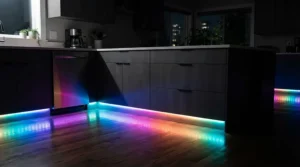
2. Lighting Styles Affordable IP67 RGB LED Colour-Changing Kit — plug-and-play from a UK specialist
Think of this as the sensible, slightly old-school cousin of the smart kits: ten sealed lights, one RF controller and not much to go wrong.
The IP67 rating means the lights are sealed against temporary immersion. In kitchen terms, that covers a mop bucket tipped slightly too enthusiastically. The controller offers seven fixed colours (yellow, white, red, green, blue, purple and light blue) plus two change modes. One is rapid switching and the other a gradual colour phase. It also remembers your last setting, so the lights return as you left them. The catch is that the maker says multiple kits shouldn’t be paired, as they won’t sync. That caps you at one controller per run.
That makes it ideal as a coloured kickboard light for a single, simple run, such as a family kitchen where someone wants “blue, but a bit less blue”. I couldn’t verify a meaningful pool of independent reviews, so treat it as unproven by the crowd. The product page’s Q&A shows buyers asking practical things like dimensions and whether one remote can run several sets. Those are good questions to answer before ordering. Availability may differ from Amazon, so verify before you plan around it.
Pros:
- ✅ Seven fixed colours plus two change modes
- ✅ IP67 sealing tolerates mopping and splashes
- ✅ Remembers its last setting
Cons:
- ❌ No free colour wheel, only presets
- ❌ Multiple kits won’t sync together
Price range: mid-£70s. Fair value for the sealing and simplicity, not for flexibility.
3. INDARUN RGBW WiFi LED Decking Lights Ø31MM — smart plinth light on a budget
If you want app and voice control without paying for strips and extension packs, this is the cheeky route.
These are 12V, IP67-rated, 31mm round lights sold with a Wi-Fi controller. They work with Alexa and Google Home and come in several pack sizes, so you can match the kit to your run. The “W” in RGBW is the key spec. A dedicated white channel produces proper white light, whereas mixing red, green and blue only gives a faint off-white. For a kitchen where you’ll want a clean daily glow as well as party colours, that’s a real advantage. This is the kind of smart plinth light that suits someone who wants scheduling (“warm at 7pm, off at midnight”) without a hub.
Here I have to be straight with you. I couldn’t verify enough independent UK review data to summarise sentiment fairly. Similar Wi-Fi kits generally run on 2.4GHz networks and depend heavily on the quality of the companion app. Judge that from the current listing’s reviews, not the spec sheet. Also check the cut-out hole size before drilling, as similar 30-31mm lights list holes around 22-24mm.
Pros:
- ✅ Dedicated white channel in RGBW versions
- ✅ Phone and voice control included
- ✅ Several pack sizes to suit your run
Cons:
- ❌ Limited verifiable UK review data
- ❌ App quality hard to judge from specs
Price range: roughly £30-£50 for a ten-light kit, varying by seller. Good value if reviews check out.
4. WiZ LED Strip Starter Kit 2m — hub-free smart strip for short runs
WiZ’s pitch is simplicity: stick it down, plug it in, add it to the app, and you’re done.
The kit delivers 20W and 1,600 lumens across a 2m strip, with tunable white from 2700K to 6500K plus full colour. That’s far more light than any kickboard needs, so you’ll live at 10-20% brightness. Treat the headroom as flexibility rather than a selling point. The CRI is 80, which is fine for accent lighting but not for task lighting. It’s rated IP20 and connects over Wi-Fi, with Alexa, Google and Apple HomeKit support. It can be cut and extended up to 10m, but the 2m base means most kitchens will need an extension for a full kickboard run.
Retail buyers describe it as quick to set up and friendly in the app, though I could verify only a small review pool. The IP20 rating is the real caveat. It offers no splash protection, so tuck it into an aluminium channel or a recessed lip, away from mop zones. It suits a peninsula, a short galley run, or a first taste of mood plinth lighting kitchen scenes.
Pros:
- ✅ No hub needed, simple setup
- ✅ Tunable white plus full colour
- ✅ Extendable up to 10m
Cons:
- ❌ IP20 offers little splash protection
- ❌ 2m base needs extensions for most runs
Price range: roughly £35-£50, so check current price. Good value for short runs only.
5. TP-Link Tapo L930-5 — best all-rounder under £50
This is the pick I’d steer most people towards, because it balances length, features and price better than anything else here.
The L930-5 is a 5m strip with RGBICW lighting, meaning individually controllable colour zones plus a white channel. It supports 50 colour zones, and the minimum cuttable segment is 10cm. Its Wi-Fi runs on 2.4GHz with no hub, and it supports Apple HomeKit, Alexa and Google. TP-Link’s own spec lists around 1,000 lumens of white output at 13W, which is plenty for a kickboard. The soft PU coating helps diffuse the beads, though it’s strictly indoor-only. Five metres covers a typical U-shaped kitchen in one go.
Professional reviewers are consistently positive. Expert Reviews’ LED strip round-up named it best all-rounder under £50 in its 2024 test. Wirecutter picked it for best user experience, while warning that any controller box must be mounted properly or its weight can drag the strip down.
Pros:
- ✅ 5m length covers most kitchens
- ✅ 50 colour zones plus a white channel
- ✅ No hub, wide voice-assistant support
Cons:
- ❌ Indoor-only, no waterproofing
- ❌ Controller box needs careful mounting
Price range: around the mid-£40s (2024 pricing), so check current price. Excellent value.
6. Govee RGBIC Smart LED Strip Lights with Covers 5m — built-in channel hides the dots
The standout here is the included channel with diffuser covers. It’s the difference between a strip that looks like a strip and a clean line of light.
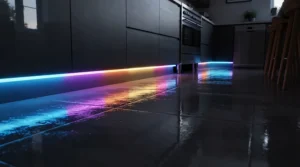
With 60 LEDs per metre behind a cover, the effect is soft and spot-free, which matters on glossy floors that mirror every pinprick. The RGBIC technology gives 50 customisable segments and 64 scene modes, so one run can show several colours at once. Control comes via the Govee Home app over Wi-Fi and Bluetooth, with Alexa and Google voice support. The strip is cuttable and connectable up to 10m. The adhesive wants a clean, smooth surface pressed for over ten seconds, so wipe down painted or dusty kickboards first.
I could verify only limited independent review data for this exact covers version, mostly from deal listings. Reviewers of Govee’s standard RGBIC strip mention generic adhesive tape, which is a good reason to add a few clips or screws on textured kickboards. It suits anyone who wants colour effects without visible hotspots.
Pros:
- ✅ Channel and cover diffuse LED dots
- ✅ 50 segments for multicolour effects
- ✅ Wi-Fi, Bluetooth and voice control
Cons:
- ❌ Adhesive needs a clean, smooth surface
- ❌ Channel adds fitting time versus bare tape
Price range: roughly £50-£90 depending on promotions. Good value at the lower end.
7. Philips Hue Lightstrip Plus V4 2m — premium ecosystem pick
You’re paying for polish and longevity here, and the spec sheet backs some of that up.
The 2m base kit delivers 20W, around 1,600 lumens, 2000-6500K white and 16 million colours, with a listed 25,000-hour lifespan. At three hours a day, that’s more than two decades on paper. It’s cuttable and extendable to roughly 10m. It works out of the box over Bluetooth, but adding a Hue Bridge unlocks Zigbee control, remote access and richer automation. TechRadar’s review notes the real value arrives with the Bridge. It’s rated IP20, so protect it from splashes with a channel.
Expert Reviews rated it the best Philips Hue strip, at around £89 in its 2024 round-up. One European retailer’s buyer noted the controller was too bulky to hide behind a cabinet, which matters in shallow kickboard voids. It makes sense if you already own Hue, because staying in one ecosystem keeps scenes and schedules tidy. Otherwise it’s an expensive way to light one kickboard.
Pros:
- ✅ Mature app, scenes and automations
- ✅ Works over Bluetooth without a Bridge
- ✅ Long listed lifespan, extendable run
Cons:
- ❌ Premium price for a 2m starter
- ❌ Bulky controller is awkward in tight voids
Price range: about £80-£95. Fair value for existing Hue homes, steep for newcomers.
Top 7 Compared: Specs, Price Ranges and Review Themes
| Product | Format | Water protection | Price range | Review theme | Best For |
|---|---|---|---|---|---|
| Set of 10 RGB Decking/Plinth Lights | 10 round lights | Stainless, sealed | Budget | Easy fit, short remote range | DIY on a budget |
| Lighting Styles IP67 RGB Kit | 10 round lights | IP67 | Mid-£70s | Unproven by the crowd | Simple, splash-prone runs |
| INDARUN RGBW WiFi Decking Lights | Round, RGBW | IP67 | £30-£50 | Thin review data | Budget smart control |
| WiZ LED Strip Starter Kit | 2m strip | IP20 | £35-£50 | Easy setup | Short runs |
| TP-Link Tapo L930-5 | 5m strip | Indoor only | Mid-£40s | Praised by pro reviewers | Most kitchens |
| Govee RGBIC Strip with Covers | 5m strip, cover | Indoor strip | £50-£90 | Limited data | Smooth colour effects |
| Philips Hue Lightstrip Plus V4 | 2m strip | IP20 | £80-£95 | Polished, pricey | Hue households |
Read this table by priority. If water resistance rules your decision, the round IP67 kits win, and the Lighting Styles IP67 RGB Kit is the safest on paper. If length and value matter most, the Tapo L930-5 is hard to beat. Only choose the Hue Lightstrip Plus V4 if the ecosystem is the point, not the strip itself.
How to Fit RGB Plinth Lights Kitchen Kits: A Step-by-Step Guide
Most RGB plinth lights kitchen installs take an afternoon, and the secret is preparation, not speed.
- Measure and plan. Mark your kickboard runs and decide on spacing. Round lights usually sit 30-40cm apart, while strips need a continuous length.
- Check the cut-out. Match your drill or hole-saw bit to the listing’s hole size. Add masking tape over the cut line to stop the surface chipping.
- Drill a test hole in an offcut or hidden corner first. Kickboards are thin, and a slipped bit is a permanent mistake.
- Route cables behind the plinth, then position the driver or receiver where you can reach it. Never bury it behind a fixed panel, because you’ll need access one day.
- Test before fixing. Connect everything, run through every colour and mode, and only then clip lights in or peel strip backing.
- Set brightness low. Start around 10-20%, because kickboard lights at full power reflect harshly off glossy floors.
If a driver needs hard-wiring to the mains rather than plugging in, that’s electrician territory. See the Planning Portal’s Part P guidance for the basics.
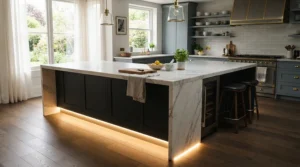
Real-World Scenarios: Which Kit Suits Which Kitchen?
Specs are abstract, so here are three buyer profiles with budgets, environments and usage patterns.
The renter on a tight budget. You can’t drill holes in a landlord’s kickboards and you spend maybe £50. The Tapo L930-5 is adhesive-mounted, long enough for the whole run and removable later. Use it nightly at low brightness as a gentle ambience layer.
The family with a messy kitchen. Mops, spilt milk and a toddler with a remote. The Lighting Styles IP67 RGB Kit or the Set of 10 RGB Decking/Plinth Lights suits you, since sealed lights and a basic remote beat fiddly apps. Daily use, mostly warm white or a single favourite colour.
The smart-home enthusiast. You already own Hue bulbs and want scenes that change at sunset. The Hue Lightstrip Plus V4 keeps everything in one app, and the premium is justified by consistency.
The entertainer with an open-plan space. Weekend parties, music, colour-shifting effects. The Govee RGBIC Strip with Covers gives multicolour segments with a clean cover, so the effect looks designed rather than improvised.
Match your kitchen’s reality, not an aspirational Pinterest board. A kit you can operate half-asleep at 2am will be used far more than one that needs an app update.
Common Problems and Fixes
Even good kits throw up predictable annoyances. Here are the usual suspects.
Problem: colours look washed out or pastel. Cheap RGB-only kits mix white from three colours, producing a faint tint. Choose RGBW or RGBICW, such as the INDARUN RGBW WiFi Decking Lights or the Tapo L930-5, for proper white.
Problem: visible dots and hotspots. Bare LEDs reflect on glossy floors. Use a diffuser channel like the Govee RGBIC Strip with Covers, or lower the brightness.
Problem: remote doesn’t respond. Move the receiver closer to where you stand, as reviewers of the Set of 10 RGB Decking/Plinth Lights noted a roughly six-foot range.
Problem: Wi-Fi drops out. These strips use 2.4GHz networks. Keep the router signal strong near the kitchen, or choose Bluetooth fallback like the Hue Lightstrip Plus V4.
Problem: flicker when dimming. Usually a mismatched or overloaded driver. Check voltage and wattage against the kit’s listing before blaming the lights.
How to Choose RGB Plinth Lights Kitchen Kits: 6 Steps
Choosing wrong costs you a weekend and a drilled kickboard, so here’s the order I’d decide things in.
- Measure your run first. Round lights need roughly one per 30-40cm, while strips like the Tapo L930-5 come in 5m lengths.
- Pick spotlights or strips. Specialist retailers say spotlights look more durable and high-end, while LED tape gives even light without spotting.
- Decide on control. A remote is simple and instant, while an app adds scheduling and voice. See the comparison below.
- Insist on a white channel. A dedicated white channel gives genuine white, not mixed off-white, and some retailers add high-CRI white for better colour rendering.
- Check the IP rating. Kickboards get mopped. IP67 round lights suit this far better than IP20 strips.
- Confirm driver and ecosystem. Match driver voltage to the strip and stay within one smart ecosystem if you already own one.
Colour Changing Plinth LED Kitchen Lighting vs Traditional White Plinth Lights
Is colour worth it, or does warm white do the job? Both have a place, and honestly many kitchens end up using white 90% of the time.
| Feature | RGB / colour changing | Traditional warm or cool white |
|---|---|---|
| Mood flexibility | High, any colour or scene | Low, one fixed tone |
| Night-light use | Yes, dim warm tones | Yes, simple and reliable |
| Fitting complexity | Needs a controller or app | Usually driver only |
| Visual risk | Garish if overdone | Rarely clashes |
| Best For | Tapo L930-5, Govee RGBIC Strip with Covers | Simple warm-white plinth kits |
The real advantage of a colour changing plinth LED kitchen setup is that it contains the white option too, provided you buy RGBW or RGBICW. You aren’t choosing colour instead of white, you’re choosing a kit that can do both. Buy RGB-only and you may regret the muddy white.
Mood Plinth Lighting Kitchen Ideas That Actually Work
Mood plinth lighting kitchen schemes work best when they stay subtle. Plinth lights highlight the colour and texture of your floor, and they shine brightest when the main kitchen lighting isn’t overpowering.
- Evening wind-down: dim warm white at 10-20%, with the ceiling lights off. It feels like a restaurant after hours.
- Dinner parties: a slow colour-phase mode in muted tones, not rapid strobing.
- Night-time snack runs: a very low warm white. Some plinth systems can add a PIR sensor to trigger on movement.
- Seasonal touches: a soft green at Christmas or orange for autumn, then back to white.
The rule of thumb is that colour should accent, never compete. If your floor is glossy, expect reflections to double the effect, so go lower than you think. Save saturated colours for occasions, and remember that white light at low level is what you’ll actually use daily.
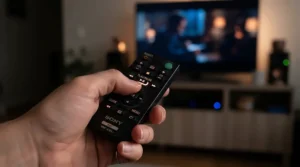
Remote Control Plinth Lights vs a Smart Plinth Light System
This is the decision that shapes everything else, so it deserves honest weighing.
Remote control plinth lights are instant and independent. There’s no Wi-Fi to drop, no app to update, and anyone can operate them. They’re ideal for sealed round kits like the Lighting Styles IP67 RGB Kit. The trade-offs are limited scenes, no scheduling, and that annoying line-of-sight range.
A smart plinth light system flips this. You get schedules, voice control and scenes, such as “warm glow at sunset”, through apps with the WiZ LED Strip Starter Kit, Tapo L930-5 or Hue Lightstrip Plus V4. The costs are a dependence on your router, occasional app updates, and a more fiddly first setup.
One practical tip from smart-home forums is to stay within one ecosystem. If you already run Hue bulbs, add Hue strips, because mixing brands often means juggling several apps. If you’re starting from scratch, a hub-free Wi-Fi option keeps costs down. For households with mixed tech confidence, my analysis says buy the strip with an app and a physical fallback, so guests can still switch it on.
Feature Toe Kick Light and Coloured Kickboard Light: Features That Matter
“Toe kick” is the American term for what British kitchens call the plinth or kickboard. A feature toe kick light is usually a larger, more visible fitting, in contrast to tiny micro lights. Retailers typically sort plinth lights by size: 15mm micro, 30mm standard and 40mm feature lights. A bigger fitting makes a bolder statement but needs a larger cut-out.
Features that matter:
- IP rating, because kickboards meet mops.
- A true white channel, for daily use.
- Driver compatibility, matching voltage and wattage.
- Dimming range, since low-level glow is the point.
Features that don’t:
- 16 million colours. You’ll use five.
- Music sync in a kickboard. Fun once, ignored forever.
- Strobe modes. Gimmicks that guests tolerate for about a minute.
If you want a coloured kickboard light that doesn’t annoy you in six months, prioritise sealing and a genuine white channel over party tricks. Buy for the 360 nights you sit quietly, not the six you host.
Long-Term Cost and Maintenance
LED lighting is gloriously cheap to run, but let’s put numbers on it. The Hue Lightstrip Plus V4 is rated at 20W maximum. At three hours daily, that’s about 22kWh a year, which even at a generous 25p per kWh is under £6, and that’s at full brightness. At the dimmed levels you’ll actually use, it’s pennies.
Lifespan is similar reassurance. The Hue Lightstrip Plus V4 lists 25,000 hours and the WiZ LED Strip Starter Kit 15,000 hours. At three hours a day, those figures translate to roughly 22 and 14 years respectively, in theory.
Real-world maintenance is dull:
- Wipe lights and channels with a dry cloth, because kickboards collect dust and crumbs.
- Check connectors yearly, as they’re the likeliest failure point.
- Keep drivers ventilated and accessible.
- Consider ecosystem support. A smart strip is only as long-lived as its app.
The cheapest kit isn’t always the cheapest to own. A £30 set that dies in two years loses to a £45 strip that lasts ten.
Safety, Regulations and Compliance Guide
Low-voltage kitchen lighting is generally low-risk, but the mains-side wiring isn’t a place to improvise.
- Compliance marks. Look for UKCA or CE marking on the driver and controller, and avoid unbranded units with no documentation.
- IP ratings. IP20 means dry indoor use only. If water might reach the strip, choose IP65-plus or protect it in a sealed channel.
- Plug-in versus hard-wired. A driver that plugs into a socket needs no mains work. Hard-wiring it to a lighting circuit or fused spur is different.
- Part P and building regulations. England’s Approved Document P covers electrical safety in dwellings, and the 2013 edition reduced the range of notifiable work. Rules differ across the UK nations, so check the gov.uk building regulations index before any fixed wiring.
- Heat and ventilation. Don’t smother drivers in insulation or sealed voids.
When in doubt, hire a registered electrician. The fee is small compared with the consequences of getting it wrong.
FAQ
❓ How many RGB plinth lights do I need for a kitchen?
❓ Can I use decking lights as a coloured kickboard light?
❓ Do I need a hub for a smart plinth light?
❓ How much do RGB plinth lights cost to run?
❓ Can I fit a colour changing plinth LED kitchen kit in a rented home?
Conclusion
Seven kits, one clear pattern: the right RGB plinth lights kitchen choice depends less on the spec sheet than on how you actually live. Choose sealed round lights, like the Lighting Styles IP67 RGB Kit, if mops and splashes are your reality, or the Set of 10 RGB Decking/Plinth Lights if budget rules. Pick the Tapo L930-5 if you want the best all-round value and voice control, and the Govee RGBIC Strip with Covers for smooth, spot-free colour effects. The WiZ LED Strip Starter Kit works for short runs, the INDARUN RGBW WiFi Decking Lights for a budget smart route, and the Hue Lightstrip Plus V4 only if you’re already a Hue household.
Whatever you choose, insist on a true white channel, check the IP rating, and keep brightness low. The best kickboard lighting is the kind guests notice as atmosphere, not as a gadget.
✨ Ready to light up that dark strip below your units?
🔍 Click on any highlighted product above to check current pricing and availability, and give your kitchen the glow it’s been missing. 🌈
Recommended for You
- Plinth Lights For Kitchen: 7 Brilliant Picks Ranked (2026)
- LED Strip Lights Under Cabinet Kitchen: 7 Top UK Picks (2026)
- Smart LED Strip Lights Kitchen: 7 Best Picks For UK Homes (2026)
Disclaimer: This article contains affiliate links. As an Amazon Associate, I earn from qualifying purchases. If you purchase products through these links, we may earn a small commission at no additional cost to you.
✨ Found this helpful? Share it with your friends! 💬🤗
