
In This Article
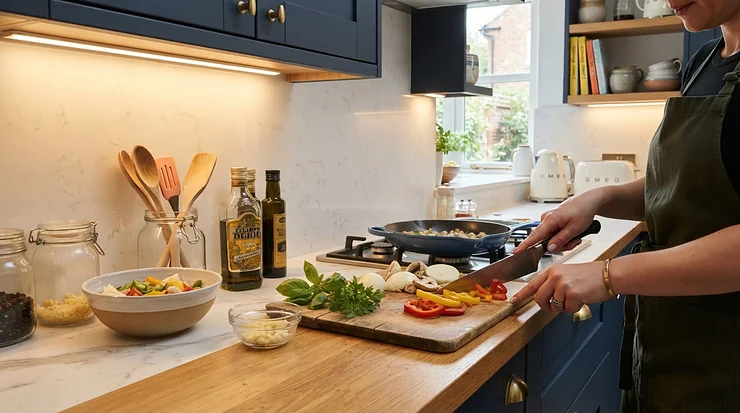
Standard kitchen lighting is a blunt instrument. It’s either on or it’s off, blazing white at nine in the morning and exactly the same blazing white at nine at night when you just want a snack and not an interrogation. Smart LED strip lights kitchen setups solve that in the most satisfying way possible — by giving you a dimmer, a colour wheel, and a voice command where a wall switch used to be. Tucked under a cupboard lip or along a kickboard, these strips throw usable task light onto worktops while doubling as genuinely pleasant ambient lighting once the pans are put away.

What is a smart LED strip light? It’s a flexible adhesive strip of individually wired LEDs, typically 5 metres long, that connects to your home Wi-Fi (or occasionally Bluetooth) and is controlled through a smartphone app or a voice assistant such as Alexa or Google Assistant, rather than a physical switch. The “smart” part is doing a lot of heavy lifting here: colour, brightness, and scheduling all move from a wall panel into an app you already have in your pocket. That distinction matters because a basic RGB strip and a proper addressable RGB strip — where every individual LED can be told to do something different — behave very differently once you’re trying to wash a colour gradient along a run of cabinets.
We’ve spent time digging through real specs, genuine UK retailer listings, and aggregated review sentiment across seven strips that actually make sense for a British kitchen — not a teenager’s bedroom wall. Budget picks, premium ecosystem players, and a couple of clever outliers all get a fair shake below. What follows isn’t a rehashed spec sheet; it’s commentary on which strip suits which kind of cook, which claims hold up under scrutiny, and where the marketing quietly skips over the awkward bits.
Quick Comparison Table
| Product | Best For | Voice Control | Hub Needed? | Price Range |
|---|---|---|---|---|
| Govee LED Strip Light H619Z | Best overall value | Alexa, Google | No | Under £40 |
| Philips Hue Lightstrip Plus | Existing Hue/HomeKit homes | Alexa, Google, Siri | Yes (Hue Bridge) | £70-£90 range |
| Nanoleaf Essentials Matter Lightstrip | Brightest, multi-platform | Alexa, Google, Siri, SmartThings | No (Thread router helps) | £40-£60 range |
| TP-Link Tapo L900-5 | Budget no-hub pick | Alexa, Google, Siri Shortcuts | No | Under £30 |
| LIFX SuperColor Lightstrip | Native Wi-Fi premium | Alexa, Google, Siri, SmartThings | No | £40-£70 range |
| Lepro S1 AI Smart LED Strip Light | AI-assisted budget upgrade | Alexa, Google | No | Under £25 |
| Gosund SL2 Smart WiFi LED Strip | Tuya ecosystem entry point | Alexa, Google | No | Under £20 |
Look closely and a pattern emerges: the strips that skip a hub entirely (Tapo L900-5, LIFX SuperColor Lightstrip, Gosund SL2) tend to sit at either end of the price spectrum, while hub-based systems like the Philips Hue Lightstrip Plus ask for more up-front commitment in exchange for a noticeably more polished, cross-platform experience. If you already own an Echo or a Nest speaker, almost anything here will answer to your voice — the real decision point is how much you want to spend chasing brightness, colour accuracy, and app polish beyond the basics.
💬 Found a favourite already? A quick share helps other kitchen renovators find this guide too!
Top 7 Smart LED Strip Lights for Kitchens: Expert Analysis
Choosing between these isn’t really about which one is “best” in the abstract — it’s about matching the strip’s quirks to your kitchen’s realities: damp air near the hob, an existing voice assistant, or a landlord who’ll frown at anything requiring a drill. Here’s how the seven stack up once you look past the marketing copy.
1. Govee LED Strip Light H619Z — best value RGBIC pick for busy kitchens
The number that jumps out on the spec sheet is RGBIC — Govee’s term for independently addressable colour zones, meaning one section of the strip can glow warm white over the hob while another runs a cooler tone by the sink. What most buyers overlook about this model is that the zone control isn’t just a party trick; it lets you run genuinely different lighting moods across a single continuous run of cabinets without buying two separate products. The 5-metre kit connects straight to 2.4GHz Wi-Fi with no bridge, and setup in the Govee Home app is genuinely one of the faster onboarding experiences in this list.
Reviewers consistently report that Alexa and Google Assistant integration is reliable for basic commands — dimming, colour changes, and named scene triggers — once the Govee skill is linked in the Alexa app. On the flip side, a common theme in aggregated feedback is that the Govee Home app’s sheer feature density (dozens of scene modes, four separate music-sync styles, a full DIY colour painter) can feel like a lot to absorb in the first sitting, though most reviewers say it clicks after about twenty minutes of poking around. This is a strip built for someone who wants to tinker, not someone who wants to set it once and forget it entirely.
Pros:
- ✅ Independent RGBIC zone control across one strip
- ✅ No hub required — reliable Alexa and Google setup
- ✅ Strong 3M adhesive tested to survive repeated kitchen humidity
Cons:
- ❌ Govee Home app can overwhelm on first use
- ❌ Cut sections can’t rejoin without a separate connector
Sitting comfortably under £40 for the 5-metre kit, the Govee LED Strip Light H619Z earns its “value pick” tag honestly — you’re not sacrificing much smart functionality to get there.
2. Philips Hue Lightstrip Plus — best for existing Hue and HomeKit households
Philips Hue built its reputation on smart bulbs, and the Lightstrip Plus inherits that same maturity. Based on the spec comparison, its 1,600-lumen peak output is actually the lowest of the group here, which sounds like a weakness until you factor in what Hue does with colour accuracy and dimming curves — the lower ceiling is smoother, not weaker, across the full brightness range, which matters more in a kitchen where you’re dimming for a Sunday breakfast rather than blasting full brightness for a chore.
The catch, and it’s a genuine one, is the Hue Bridge. Unlike most of this list, the Lightstrip Plus needs Philips’ separate hub to unlock scheduling, remote access away from home, and full HomeKit support — an extra box and an extra cost that buyers researching a first smart strip often don’t budget for. Reviewers who already own Hue bulbs elsewhere in the house report the extension is close to seamless, since the same app and Bridge cover everything; those starting from zero should weigh whether the ecosystem lock-in is worth it. It’s extendable up to 10 metres using official extension pieces, which suits a kitchen with a long run of wall units.
Pros:
- ✅ Deepest cross-platform support: Alexa, Google, Siri, SmartThings
- ✅ Extends to 10m without losing brightness consistency
- ✅ Long-standing app polish and reliable firmware updates
Cons:
- ❌ Requires the separate Hue Bridge to unlock full features
- ❌ Lower peak brightness (1,600 lumens) than rivals in this list
At around £70-£90 for the base kit (before any bridge you don’t already own), the Philips Hue Lightstrip Plus is the premium choice for households already inside the Hue or Apple Home ecosystem — less so for a standalone kitchen project on a tight budget.
3. Nanoleaf Essentials Matter Lightstrip — brightest strip for multi-ecosystem homes
On paper this means one thing: brightness headroom. The Nanoleaf Essentials Matter Lightstrip peaks at roughly 2,200 lumens, noticeably ahead of the Hue strip above, which makes it the strongest pure task-lighting option here if you actually cook rather than just admire your cabinets. Colour temperature swings from a warm amber right through to a crisp daylight white, so the same strip does double duty as evening mood lighting and as no-nonsense chopping-board illumination.
Because it’s Matter-certified, the strip can, in principle, be added to Alexa, Google Home, Apple Home, and Samsung SmartThings without needing Nanoleaf’s own hub — the spec sheet won’t tell you this, but user reports suggest the Matter pairing process is still a little clunky in practice, occasionally requiring a firmware update or a second attempt to get the handshake right. Reviewers who meet the hardware requirements (a Thread border router such as a HomePod mini or certain Wi-Fi routers) describe the eventual experience as smooth; those without one are limited to Bluetooth-only control, which the aggregated feedback flags as worth checking before buying.
Pros:
- ✅ Brightest strip on this list at up to 2,200 lumens
- ✅ Matter-certified for genuine multi-platform flexibility
- ✅ Wide 2700K-6500K colour temperature range for task and mood
Cons:
- ❌ Matter setup can be fiddly without a Thread border router
- ❌ Falls back to Bluetooth-only if hardware requirements aren’t met
For a kitchen shared between an iPhone user and an Android/Alexa household, the Nanoleaf Essentials Matter Lightstrip is one of the few strips here genuinely built to bridge that gap, priced in the £40-£60 range depending on kit length.
4. TP-Link Tapo L900-5 — best no-fuss budget pick with no hub
TP-Link’s Tapo range has quietly become one of the most recommended entry points into smart lighting, and the L900-5 explains why. It connects directly to your router over Wi-Fi with no separate hub, no subscription, and a five-minute setup in the Tapo app — reviewers who linked it to Alexa report the connection holding up reliably over months of daily use. The 13.5W draw across the 5-metre strip is enough for genuine under-cabinet task lighting rather than a token backlight glow.
Here’s what to weigh before buying: the L900 strip’s LED array skips a dedicated pure-white channel, relying instead on mixed RGB to approximate white tones — reviewers note this looks perfectly fine for colour scenes but slightly warmer or cooler than a true white LED strip when you actually need clean daylight for prep work. It’s also explicitly not waterproof, so positioning matters near a sink or hob where splashes are routine. TP-Link’s own documentation states the LED beads are rated for over five and a half years of continuous use, which is a reasonable lifespan claim for a strip in this price bracket.
Pros:
- ✅ No hub required — direct 2.4GHz Wi-Fi connection
- ✅ Works with Alexa, Google Assistant, and Siri Shortcuts
- ✅ Genuinely budget-friendly at under £30 for 5m
Cons:
- ❌ Not waterproof — avoid direct positioning near sink splashes
- ❌ No dedicated white LED channel; white tones run slightly warm
The TP-Link Tapo L900-5 is a sensible first purchase for anyone testing the waters of app-controlled kitchen LED strips without wanting to commit serious money upfront.
5. LIFX SuperColor Lightstrip — best native Wi-Fi strip with zero hub hassle
LIFX built its entire brand around skipping the hub, and the SuperColor Lightstrip is the clearest expression of that philosophy in this list. Every unit connects directly to 2.4GHz Wi-Fi, and LIFX’s Polychrome Technology divides each strip into eight addressable zones, letting colours blend and animate along the run rather than shifting as one flat block. Reviewers testing it against the Hue Lightstrip Plus note the LIFX skips the cost of a bridge entirely, which narrows the price gap between the two brands more than the sticker price alone suggests.
What most buyers overlook about LIFX is just how broad its native compatibility actually is: Alexa, Google Assistant, Apple HomeKit, and Samsung SmartThings all work without any bridging hardware, which is rare among premium strips. The trade-off is cost per metre — extending the strip beyond its base kit length isn’t cheap, with official extensions adding up quickly if you’re covering a large kitchen island or a long run of wall units. It’s a strip built for people who want premium cross-platform support without the Hue Bridge tax, not necessarily for stretching across an entire open-plan kitchen-diner on a budget.
Pros:
- ✅ Native Wi-Fi — works with Alexa, Google, Apple HomeKit, SmartThings out of the box
- ✅ Polychrome zones give smoother, more dynamic colour blending
- ✅ No bridge cost, unlike the comparable Hue strip
Cons:
- ❌ Extensions are pricier than most rivals per added metre
- ❌ Base kit length is shorter than some budget competitors’ standard runs
Priced in the £40-£70 range depending on kit size, the LIFX SuperColor Lightstrip rewards buyers who value ecosystem breadth over raw length-for-money.
6. Lepro S1 AI Smart LED Strip Light — best AI-assisted budget upgrade
Lepro’s pitch with the S1 is its “AI Lighting Design Assistant” — a feature that suggests colour palettes and scene combinations based on the room or mood you describe in the app, rather than leaving you to build every scene manually. Based on the spec comparison, this is one of the few features in the budget tier that genuinely differentiates a Lepro strip from a generic own-brand equivalent, and reviewers who’ve used it describe it as a genuinely useful shortcut rather than a gimmick bolted on for the box copy.
Where the honest picture gets more mixed is setup and colour accuracy. Aggregated customer feedback flags account creation as a mildly annoying prerequisite before the app lets you proceed, and more than one review notes that the “white” setting isn’t a true white — everything under it takes on a faint colour cast compared with a strip using a dedicated white LED channel. For colour scenes and general kitchen ambience this is a non-issue; for buyers who want the strip doubling as their sole prep-time task light, it’s worth testing before relying on it exclusively.
Pros:
- ✅ AI Lighting Design Assistant suggests usable scenes quickly
- ✅ Works reliably with Alexa and Google Assistant
- ✅ Genuinely budget priced, typically under £25 for 5m
Cons:
- ❌ Mandatory app account creation before first use
- ❌ White light setting reads with a noticeable colour cast
For a first-time buyer who wants smart lighting without decision fatigue, the Lepro S1 AI Smart LED Strip Light does a fair amount of the creative thinking for you.
7. Gosund SL2 Smart WiFi LED Strip — best entry point into the Tuya ecosystem
The Gosund SL2 is worth including specifically because it runs on the Tuya Smart Life platform rather than a proprietary app — a distinction that matters more than it sounds. A tuya LED strip like this one sits inside a much wider ecosystem of budget smart plugs, switches, and sensors from dozens of different manufacturers, all controllable from the same Smart Life app once paired. If you’re building a kitchen smart-home setup gradually and don’t want to juggle five different apps for five different brands, standardising on Tuya-based devices is a genuinely practical strategy, not just a cost-saving one.
Reviewers describe the 5-metre SL2 as flexible enough to bend around tight cabinet corners without kinking, with a built-in microphone for music-reactive lighting that responds to ambient sound in the room. The trade-off, honestly assessed, is app polish: Smart Life is a generic, multi-brand app rather than a bespoke one, so it lacks some of the scene-design flourish of Govee’s or Lepro’s dedicated apps, and aggregated feedback on the built-in music sync describes results as inconsistent depending on the room’s acoustics and how loud the source audio is.
Pros:
- ✅ Runs on the broad, multi-brand Tuya Smart Life ecosystem
- ✅ Flexible strip bends around tight kitchen corners easily
- ✅ Genuinely cheap, frequently under £20 for a 5m kit
Cons:
- ❌ Smart Life app is more generic than brand-specific alternatives
- ❌ Built-in music sync quality varies by room acoustics
If you’re already leaning on other budget Tuya-compatible gadgets around the house, the Gosund SL2 Smart WiFi LED Strip is the cheapest sensible way to bring the kitchen into that same ecosystem.
Practical Usage Guide: Installing, Setting Up and Maintaining Your Kitchen LED Strip
Getting a strip stuck up straight is the easy part; getting the smart features to behave takes a little more care. Start by cleaning the mounting surface with isopropyl alcohol rather than a standard kitchen spray — grease residue is the single biggest reason 3M adhesive backing fails within the first month, and it’s an entirely avoidable mistake. Measure twice before you peel the backing, because most strips (including the Govee LED Strip Light H619Z and TP-Link Tapo L900-5) only permit cutting at marked points roughly every 30cm or 50cm, and cutting off-mark can damage the circuit entirely.
During the first 30 days, the most common mistake isn’t installation at all — it’s Wi-Fi band confusion. Nearly every strip on this list, including budget and premium options alike, only supports 2.4GHz networks rather than the 5GHz band most modern routers default new devices to; if pairing repeatedly fails, check your router settings before assuming the strip is faulty. Once connected, build two or three named scenes early (a bright “Prep” white and a dim “Evening” warm tone are the two most useful defaults) rather than relying on raw colour sliders every time — this is also the point where linking Alexa or Google Assistant pays off, since voice control becomes genuinely useful once scenes exist to call by name. For maintenance, wipe the diffuser cover monthly with a dry microfibre cloth; grease build-up from cooking noticeably dulls output over six to twelve months of regular kitchen use.

Real-World Kitchen Scenarios: Matching the Right Strip to Your Space
Picture three very different kitchens. First, a renter in a small London flat who wants better under-cabinet light without drilling anything or committing to an expensive ecosystem — the TP-Link Tapo L900-5 or Gosund SL2 fit that budget and non-committal profile perfectly, since both skip the hub and can be unstuck and taken along at the end of a tenancy.
Second, a family with a busy open-plan kitchen-diner who already owns two Philips Hue bulbs in the living room and wants everything under one remote-access app: the Philips Hue Lightstrip Plus is the obvious extension here, even with the Bridge cost, because it slots into an ecosystem they’ve already bought into rather than starting a second one from scratch. Third, a household split between an iPhone-using partner and an Alexa-speaker-owning partner, both wanting equal voice control without picking sides — this is precisely the situation the Nanoleaf Essentials Matter Lightstrip was built to solve, with its Matter certification letting both platforms genuinely coexist rather than one person being locked out.
How to Choose App-Controlled Kitchen LED Strips
Working through app-controlled kitchen LED strips gets much simpler once you run through the same short checklist every time, rather than getting swept up by whichever strip has the flashiest marketing photos.
- Measure your run first. Kitchen cabinet runs vary wildly, so know your total metres before comparing kit sizes — buying two 5m kits to cover an 8m run wastes money compared with one 10m kit.
- Confirm your Wi-Fi band. Nearly all strips here need 2.4GHz; check your router supports it as a separate visible network if it’s a modern dual-band unit.
- Decide on hub tolerance. A Hue Bridge or a Thread router adds cost and complexity but buys smoother multi-platform reliability — decide upfront whether that trade-off suits you.
- Check IP rating near wet zones. Anything mounted within splash range of a sink or hob should carry at least an IP65 rating; most standard indoor strips don’t.
- Match the app to your patience level. Feature-dense apps like Govee Home reward tinkerers; simpler apps like Tapo suit people who want to set it once.
- Verify voice assistant compatibility explicitly. Don’t assume “smart” means Alexa-ready — check the specific skill or Matter certification before buying.
- Budget for extensions separately. Extension costs vary hugely by brand, and a strip that looks cheap upfront can get expensive once you’re covering a full kitchen.
Colour Changing LED Strip Kitchen: vs Traditional Under-Cabinet Lighting
| Factor | Colour Changing LED Strip | Traditional Under-Cabinet Lighting |
|---|---|---|
| Control | App, voice, schedules | Physical switch only |
| Brightness flexibility | Fully dimmable, tunable white | Usually fixed or basic dimmer |
| Colour options | Millions of colours + white range | White only |
| Installation | Peel-and-stick, no wiring | Often requires an electrician |
| Running cost | Pence per year at LED efficiency | Similarly low if already LED-based |
A colour changing LED strip kitchen setup wins decisively on flexibility and installation ease — nobody’s calling an electrician to stick adhesive tape under a cupboard — but it’s worth being honest about where traditional fixed under-cabinet lighting still has an edge: hardwired fittings involve no app dependency, no Wi-Fi troubleshooting, and no risk of a firmware update changing how your lights behave overnight. For most renters and homeowners doing a lighter refresh rather than a full rewire, though, the smart strip route delivers most of the benefit at a fraction of the cost and disruption.
WiFi, Alexa and App Control Explained: What Actually Matters
Not every “smart” claim on a listing page is equally useful in practice, and it’s worth separating the features that change daily life from the ones that just sound good in bullet points. A stable WiFi LED strip kitchen connection matters enormously more than headline colour count — nobody actually needs 16 million colours, but everybody notices when a strip drops off the network and needs re-pairing every few days. Reviewers consistently note that budget strips using generic chipsets (like the Tuya-based Gosund SL2) can be marginally less stable on congested home networks than dedicated-app strips from Govee or TP-Link, though the gap has narrowed considerably as firmware has matured.
Alexa LED strip lights kitchen setups are the single most requested feature across every product researched here, and for good reason: hands full of raw chicken is exactly the moment a voice command earns its keep. What’s less obvious is that “works with Alexa” can mean very different things — some strips (Tapo, LIFX) connect natively without any bridging skill, while others (Govee, Lepro) require linking a specific Alexa skill first, which is a five-minute job but an easy step to miss. App control, meanwhile, is the feature that actually delivers day-to-day value: scheduling lights to warm up automatically at dusk, or dimming automatically past a certain hour, does more for a kitchen’s usability than any single colour effect.
Common Mistakes When Buying Kitchen LED Strip Lights
The most frequent buying mistake, based on aggregated review themes across every product in this guide, is skipping the IP rating check entirely and mounting a standard indoor strip directly above a hob or beside a sink splashback — moisture ingress here isn’t covered under most warranties and voids the product outright. A close second is underestimating cable routing: most kits ship with a short power lead (often only around 1-1.2 metres), and buyers repeatedly report having to source an extension separately once the strip is actually in position along a run of cabinets.
A subtler mistake is buying based on lumens alone without checking colour rendering — a strip can be bright and still render food colours poorly if its CRI (colour rendering index) is mediocre, which matters more in a kitchen than almost any other room in the house. Finally, plenty of buyers assume every “compatible with Alexa” strip works identically, then discover after purchase that Matter-certified options like the Nanoleaf strip need a Thread border router they don’t yet own — a detail worth confirming before checkout, not after.
Long-Term Cost & Maintenance: Running Costs, Lifespan and ROI
| Scenario | Daily Use | Approx. Annual Running Cost* |
|---|---|---|
| 5m strip, ~15W, 3 hrs/day | 3 hours | Roughly £4-£6 per year |
| 5m strip, ~15W, 6 hrs/day | 6 hours | Roughly £8-£12 per year |
| Traditional halogen strip equivalent | 3 hrs/day | Roughly £25-£35 per year |
*Estimated using the Direct Debit electricity unit rate published under the current Ofgem energy price cap; actual bills vary by tariff and supplier.
The gap between a smart LED strip and an older halogen-based under-cabinet system is genuinely dramatic once you run the numbers rather than eyeballing the wattage sticker — LED strips draw a fraction of the power for comparable brightness, and the running-cost saving compounds every single year the strip stays installed. Where long-term cost quietly creeps back in is replacement components rather than electricity: control boxes and remotes are the parts most likely to fail first, typically within two to three years of daily use, while the LED strip itself often outlasts the electronics around it. Buying a strip with a separately replaceable controller, as most on this list offer, is a small detail that meaningfully extends the useful life of the whole setup.
Safety, Regulations & Compliance for Kitchen Smart Lighting
Every strip in this guide falls under the UK’s Product Security and Telecommunications Infrastructure regime, which came into force to stop manufacturers shipping connected devices with default, easily-guessed passwords and no clear security update policy. In practice, this means legitimate UK-market strips must state a minimum period for security updates and provide a way to report vulnerabilities — a detail worth glancing at before buying an obscure, unbranded strip from a third-party marketplace seller with no clear UK presence.
Kitchen-specific safety adds another layer worth taking seriously: a strip mounted within splash range of a hob or sink needs an appropriate IP rating, and academic research into smart lighting has flagged more exotic risks too — one widely cited study on smart bulb vulnerabilities demonstrated that connected lights can, in specific conditions, leak information about what’s happening in a room through subtle changes in brightness that a camera can detect from outside a window. That’s a niche, low-probability risk for the average kitchen strip, but it underlines a broader point worth taking seriously: use a genuinely unique Wi-Fi password, keep firmware updated through the manufacturer’s app, and avoid strips from brands with no clear update history.
Problem → Solution: Fixing the Most Common Kitchen LED Strip Issues
Strip won’t stay stuck to a cabinet after a few weeks? The adhesive has almost certainly failed due to grease or moisture on the mounting surface — remove it, clean thoroughly with isopropyl alcohol, let it dry fully, and consider adding mounting clips (usually sold separately) for extra security rather than relying on adhesive alone in a kitchen environment.
App keeps losing connection to the strip? This is nearly always a router band issue — confirm the strip is actually connected to the 2.4GHz network rather than 5GHz, and if your router broadcasts a single combined network name, consider temporarily separating the bands during setup. Colours look duller after a year of use? LED output naturally degrades slightly over thousands of hours, but a cooking-grease film on the diffuser cover accelerates the effect noticeably — a monthly wipe-down resolves most of this. Finally, if voice commands stop working after previously being reliable, the most common cause reported across reviews is an expired or disconnected skill link in the Alexa or Google Home app following an update, which usually just needs re-authorising rather than a full re-pair.
Frequently Asked Questions
❓ Do smart LED strip lights work without Wi-Fi?
❓ Can I cut smart LED strip lights to fit my kitchen cabinets?
❓ Are colour changing LED strips bright enough for cooking?
❓ Do Alexa LED strip lights kitchen setups need a hub?
❓ Are Tuya LED strips safe to use in a kitchen?
Conclusion
There’s no single “best” smart LED strip lights kitchen pick that suits everyone, and that’s honestly the whole point of comparing seven of them properly rather than crowning one winner. Renters and first-timers get the most sensible return from the TP-Link Tapo L900-5 or Gosund SL2, families already invested in an ecosystem should lean into that investment with the Philips Hue Lightstrip Plus, and anyone straddling two different smart-home platforms under one roof has a genuinely elegant answer in the Nanoleaf Essentials Matter Lightstrip. The Govee LED Strip Light H619Z remains the strip we’d point most undecided buyers toward first, simply because it balances price, brightness, and app depth better than almost anything else here.
Whichever you land on, the return on a modest outlay is disproportionately large: a kitchen that dims properly for evening meals, brightens instantly for chopping vegetables, and answers to a voice command with hands covered in flour is a genuinely small upgrade with an outsized daily payoff. Check current prices before buying, since retailer promotions shift regularly, and don’t be afraid to start with the cheapest sensible option on this list — every strip here can be replaced or extended later without wasting what you spent.
Recommended for You
- LED Strip Lights For Kitchen: 7 Best UK Picks (2026)
- LED Light Bar Worktop Kitchen: 7 Best Picks For UK Homes (2026)
- Worktop Lighting: 7 Brilliant Picks For UK Kitchens (2026)
Affiliate Disclosure: This article contains affiliate links. As an Amazon Associate, I earn from qualifying purchases. If you purchase products through these links, we may earn a small commission at no additional cost to you.
✨ Found this helpful? Share it with your friends! 💬🤗
