
In This Article
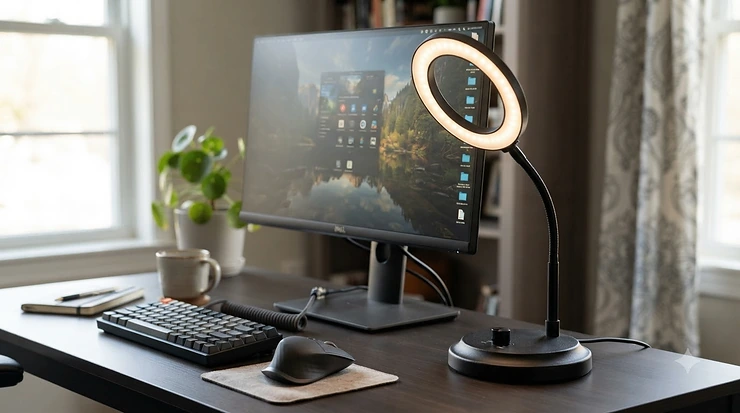
A ring light for video calls is a circular LED light that sits around, or just beside, your camera and washes your face in soft, even light from the front. It erases the shadows that make you look tired on screen, adds a flattering sparkle to your eyes, and lets your webcam run at cleaner, lower-noise settings.
Here’s the uncomfortable truth about your Monday-morning stand-up: your colleagues aren’t judging your webcam. They’re judging your lighting. A modest light placed correctly will beat an expensive camera in a dim box room every time, because the sensor is starved of light, and starved sensors produce grain, mushy detail and a sickly colour cast. Microsoft’s own guidance on using video in Teams includes soft focus and brightness filters. Those are software patches, and real light is the proper fix.
This guide cuts through the sea of near-identical listings on amazon.co.uk and compares seven real products. They cover a ring light with tripod stand, a clip-on laptop ring light, a desktop ring light for webcam setups, and one premium creator-grade ring. You’ll also get honest analysis of glasses glare diffusion, getting natural skin tones, and what to change for Microsoft Teams video calls.
Everything below rests on manufacturer specifications, published expert reviews and aggregated owner feedback. No hands-on testing is claimed. Prices are shown as ranges only, so check the current price before you buy.
Best Ring Light for Video Calls at a Glance (2026)
| Product | Format | Size | Colour temperature | Price range | Best For |
|---|---|---|---|---|---|
| UBeesize 12 Inch Ring Light | Floor/desk tripod | 12 in | Roughly 3000K–6000K | £25–£45 | All-round value, shared phone and laptop use |
| Razer Ring Light | Desk tripod | 12 in | 3000K / 4500K / 6500K | £60–£100 | A sturdy, flattering everyday desk setup |
| Elgato Ring Light | Clamp and pole | 17 in | 2900K–7000K | £150–£200 | Premium brightness and app control |
| LitONES Desk Ring Light with Stand | Desktop stand | ~7 in panel | 3000K–6500K | £25–£40 | Webcam users who want a low-glare look |
| Cyezcor Video Conference Lighting Kit | Clip-on | ~5 in | 3200K–6800K | £12–£25 | Cheapest laptop fix |
| ACMEZING Clip-On Lighting Kit | Clip-on | 8 in | 3200K–6500K | £12–£25 | A larger clip-on with more colour options |
| AiXPi 10 Inch Ring Light | Compact ring with phone clip | 10 in | Three colour presets | £15–£30 | Tight budgets |
Price ranges are indicative at the time of research and will vary. Check current price on amazon.co.uk.
Looking at the table, the UBeesize 12 Inch Ring Light delivers the most light-per-pound for anyone with room for a stand. If your desk is already crowded, the Cyezcor Video Conference Lighting Kit and ACMEZING Clip-On Lighting Kit solve the problem with almost no footprint. The Elgato Ring Light is the only option here that justifies its price through output and control rather than sheer convenience, so buy it only if you take calls all day or record content too.
💬 Just one click — help others make better buying decisions too!😊
Top 7 Ring Lights for Video Calls: Expert Analysis
Every pick below is a real product with real specifications. Each entry explains what the numbers mean on your screen and who the product suits.
1. UBeesize 12 Inch Ring Light — best all-round ring light with tripod stand
A proper 12 inch ring on a stand that reaches eye level is the whole pitch here, and it’s a good one. The kit pairs a 240-LED, 10W ring with an extendable tripod (up to roughly 62 inches, convertible to a selfie stick), a phone holder and a Bluetooth remote.
Ten brightness steps and several colour modes (listings quote around 3000K–6000K, though versions differ) let you match a warm table lamp or a cold ceiling panel instead of fighting it. A bigger ring also makes softer shadows than any 5 inch clip-on, so the light wraps your face rather than spotlighting it. USB power means no battery dying mid-meeting.
Based on the spec comparison, this is the sensible first purchase for anyone taking a ring light for video calls from a spare room or lounge corner, especially if it will double for phone recording. The trade-off is footprint: a tripod is awkward on a tight desk, and a circular ring can appear as a round reflection in glasses.
Reviewers consistently describe the light as bright, even and quick to assemble. Recurring complaints involve a tripod that can feel wobbly once the phone arm is fitted, and a small remote that’s easy to lose. The review pool is enormous, with an average in the low-to-mid 4s out of 5 on US listing data. UK figures will differ.
Pros:
- ✅ Large 12 inch ring gives soft, even light
- ✅ Tripod, phone holder and remote included
- ✅ Wide brightness and colour range
Cons:
- ❌ Tripod can wobble with the phone arm fitted
- ❌ Ring shape may reflect in glasses
Typically in the £25–£45 range (check current price), which is strong value for a complete kit.
2. Razer Ring Light — sturdy, flattering 12 inch desk all-rounder
Razer’s light earns its place through build quality. Digital Camera World rates it its best all-rounder, praising light quality and a surprisingly brilliant tripod. The ring measures 300mm across (241mm inner) and weighs about 260g, with three colour temperatures of 3000K, 4500K and 6500K, a wired remote for adjustments, and a ball-head mount for a phone or small camera.
On paper, three fixed colour presets are less flexible than a smooth slider. In practice, 4500K is a near-neutral setting that suits most offices, so you’ll rarely need to fiddle. The diffused output is gentle rather than blinding, which matters if you sit eighteen inches from it for a six-hour day.
The catch is power. It runs from USB only, and the reviewer flags that it needs an older USB-A connection, so check your laptop and chargers before ordering. It’s also too small and wired to suit serious photography. For this guide’s purposes, that’s irrelevant: it’s built for a desk, a webcam and the next ten meetings.
Reviewers on Amazon’s listing are a modest pool, so treat sentiment as indicative rather than conclusive. The professional review is strongly positive on sturdiness, noting it survives being thrown in a bag or car boot.
Pros:
- ✅ Excellent, flattering diffused light quality
- ✅ Tripod and ball head included in the box
- ✅ Robust, travel-ready build
Cons:
- ❌ USB-A power only, no mains option
- ❌ Only three fixed colour temperatures
Check current price; expect roughly the £60–£100 range. That’s fair for the build, though cheaper and brighter lights exist.
3. Elgato Ring Light — premium creator-grade brightness and control
This is the heavyweight. The Elgato Ring Light is 17 inches wide, with 160 OSRAM LEDs, up to 2,500 lumens, a 2900K–7000K range and a CRI of about 94. It adds Wi-Fi control through Elgato’s Control Center software on Windows, Mac, iOS and Android, plus a glare-free diffusion panel, a telescopic pole, a ball mount and a desk clamp.
Why does any of that matter on a Teams call? Raw output lets you light a face from a metre or more away, which means softer, more natural falloff and less in-your-eyes glare. The wide colour range means you can match daylight or a warm evening room. KitGuru scored it 8.5/10, praising diffusion, build and the sturdy pole, while flagging the price and the lack of a desk stand base.
Honest caveat: it’s overkill for plain meetings. It makes sense if you stream, record, teach or live on camera. One retailer reviewer reported the pole shaking when the desk was touched with a camera mounted, so a rigid desk or floor mount matters.
Reviewers broadly agree on brightness and quality. The recurring complaints are cost and stability, and at least one owner reported a fault that support later resolved.
Pros:
- ✅ Very bright, flicker-free output with fine control
- ✅ Wide 2900K–7000K colour range
- ✅ App and desktop software control
Cons:
- ❌ Expensive compared with every rival here
- ❌ Pole can shake on an unsteady desk
Likely in the £150–£200 range (check current price). Worth it only for heavy daily use.
4. LitONES Desk Ring Light with Stand — edge-lit, high-CRI, built for webcams
This is the purest answer to the desktop ring light for webcam question. Rather than a bare LED ring, it uses a side-emitting, edge-lit panel behind a diffuser. The manufacturer claims a CRI above 97.8, three colour temperatures (3000K–6500K) across ten brightness levels for 30 modes, and a telescoping metal stand that rises from roughly 22 to 31 inches. It’s USB powered (5V/2A) and includes a phone holder.
What does edge-lit mean for you? The surface glows evenly instead of showing individual LED dots, so it tends to look gentler on the face. The manufacturer also claims fewer glare points and ring reflections, which is a marketing claim rather than independently verified. Still, a flat diffused panel is a sensible choice if you wear glasses.
Treat the CRI figure with healthy scepticism: manufacturer CRI isn’t independently verified, and Wikipedia’s explainer on the colour rendering index notes the metric has known limits. Even so, high-CRI claims at this price are encouraging.
Aggregator data shows a strong average of around 4.6 stars, but from a small review pool, so confidence is limited. Owners mention a sturdy base and good brightness.
Pros:
- ✅ Soft, edge-lit diffused panel
- ✅ 30 brightness and colour combinations
- ✅ Tall, adjustable metal stand
Cons:
- ❌ Small review pool limits confidence
- ❌ 5V/2A adapter may not be included
Roughly £25–£40 (check current price). Excellent value for a dedicated desk light.
5. Cyezcor Video Conference Lighting Kit — cheapest way to rescue a dark laptop
The Cyezcor Video Conference Lighting Kit is tiny, simple and cheap. It’s a roughly 5 inch ring with 48 LEDs at 10W, a 3200K–6800K range, five brightness levels via an in-line control, and a padded clip that rotates 360° onto your laptop or monitor. USB power means it draws from the machine it’s lighting.
That clip-on design solves a real problem: you get light exactly where the camera is, with zero extra desk space. A small source gives harder, more directional light than a 12 inch ring, but when the alternative is a laptop in a dim room, even this makes a visible difference. Owners and reviewers highlight easy attachment, even to thin bezels, with light that doesn’t glare.
Based on the spec comparison, it suits commuters and hot-deskers who want a pocketable clip-on laptop ring light. The main reliability complaint in reviews is units failing after a few months, though at least one owner reported a helpful seller response. Treat it as a low-cost, low-risk purchase rather than a long-term investment.
Pros:
- ✅ Clips on without taking up desk space
- ✅ Padded clip protects laptop bezels
- ✅ Very low cost and highly portable
Cons:
- ❌ Small ring gives harder, less flattering light
- ❌ Some owners report failures after a few months
Likely in the £12–£25 range (check current price). A bargain fix for light-starved laptops.
6. ACMEZING Clip-On Lighting Kit — larger clip-on with five colour temperatures
Think of this as the Cyezcor Video Conference Lighting Kit‘s bigger sibling. The 8 inch version carries 64 LEDs at 10W, five colour temperatures from roughly 3200K to 6500K and five brightness levels. It clips to a laptop or monitor and runs from USB. An in-line control box with five buttons handles brightness and colour.
Five colour temperatures is genuinely useful: you can step from a warm evening tone to a crisp daylight one without compromise. A larger ring also lights more of your face than a 5 inch version, softening shadows. Based on the spec comparison, that makes it a smart upgrade for anyone using a clip-on laptop ring light daily.
Owners describe tool-free attachment and a secure grip. One reviewer called the five-step control fair for the money. The downsides are cable clutter from the control box and only five brightness steps, which can be coarse when you want a small tweak. Listings vary by ring size, so confirm the variant before buying.
Pros:
- ✅ Five colour temperatures for flexible matching
- ✅ Larger 8 inch ring softens shadows
- ✅ Tool-free clip, laptop or monitor
Cons:
- ❌ In-line control box adds cable clutter
- ❌ Only five brightness steps
Typically £12–£25 (check current price). Great value for a bigger clip-on.
7. AiXPi 10 Inch Ring Light — cheapest genuine ring-light entry point
Digital Camera World names it the best budget option. The light has 120 LEDs, ten brightness levels, three colour modes (white, warm yellow, and mixed), USB power and a spring clip that holds a phone in portrait or landscape. It measures roughly 10.2 by 8.1 inches.
A true 10 inch ring costs very little here, and the reviewer notes it banishes grainy low-light artefacts. That’s what a budget light is for. The compromise is mechanical: the ball head is a little wobbly, and the plastic tightening handle can feel flimsy, so the mount may drift over a long call.
On paper, three colour presets are blunt. If you can live with warm, cool and mixed, it works. If you need fine colour matching for skin tones, step up to the LitONES Desk Ring Light with Stand or the Razer Ring Light. Check which mount or stand your variant includes before ordering.
Pros:
- ✅ True 10 inch ring at a very low cost
- ✅ Ten brightness levels
- ✅ Phone clip works in portrait or landscape
Cons:
- ❌ Wobbly ball head and flimsy handle
- ❌ Only three colour temperature presets
Likely in the £15–£30 range (check current price). Solid entry-level value.
✨ Don’t Miss These Top Picks!
🔍 Take your video presence to the next level with these carefully selected lights. Click on any highlighted product to check current pricing and availability. A small change now could make every future call look sharper and more professional!
How to Choose a Ring Light for Video Calls
The best ring light for video calls is a diffused, dimmable light of at least 8–12 inches, placed at eye level just behind or beside your camera, with adjustable colour temperature. Follow these steps:
- Pick your format first. Decide between a ring light with tripod stand, a clip-on laptop ring light or a desktop ring light for webcam use. Your desk space matters more than any spec.
- Choose a size. Bigger rings give softer light. Aim for 10–12 inches if you have the room, and 5–8 inches only for clip-ons.
- Demand adjustable colour temperature. Look for roughly 3000K–6500K so you can match your room and keep skin tones believable.
- Check dimming steps. Ten levels or a smooth dimmer beat three. You’ll want to lower brightness more than you expect.
- Prefer diffusion. A frosted panel or edge-lit surface is gentler on your eyes and your glasses.
- Verify the power source. USB-A, USB-C or mains? Check your laptop ports before you click buy.
- Check for UK-compliant markings. Look for UKCA or CE marking on the product page or packaging (see the safety section below).

Ring Light With Tripod Stand, Clip-On or Desktop Webcam Setup?
Each format suits a different room and routine. Here’s how they differ in practice.
Ring Light With Tripod Stand
A ring light with tripod stand gives you the biggest light and the most positioning freedom. You can place it directly behind your laptop or webcam, raise it to eye level and move it between rooms. The UBeesize 12 Inch Ring Light and Razer Ring Light fit here. The downside is footprint and stability: tripods wobble, and a floor stand eats space around a small desk.
Clip-On Laptop Ring Light
A clip-on laptop ring light is the minimalist answer. It lives on your screen edge, lights you from exactly the camera’s angle and packs away in a laptop bag. The Cyezcor Video Conference Lighting Kit and ACMEZING Clip-On Lighting Kit are the examples. Because the source is small, light is harder than from a large ring, and it relies on your laptop’s USB port, so keep an eye on cable tangles.
Desktop Ring Light for Webcam
A desktop ring light for webcam setups sits on or clamps to the desk behind your monitor. The LitONES Desk Ring Light with Stand and the Elgato Ring Light fit here. You get proper height adjustment without a tripod’s sprawl, and a desk clamp frees up surface space. It’s the best format for people on calls every day, because once it’s positioned, you never touch it again.
Glasses Glare Diffusion: How to Stop Reflections on Camera
If you wear glasses, a ring light can turn into a double headache. Lenses reflect any bright source in front of them, and a small, hard light creates a sharp white blob over your eyes. A larger, diffused light spreads that reflection into a softer, less distracting glow, which is why glasses glare diffusion should be near the top of your checklist.
Ring lights also have a specific quirk. Digital Camera World notes they create circular catchlights in the eyes, which looks lovely without glasses but can show up as bright rings in lenses. Edge-lit or frameless panels avoid the ring shape, which is why the LitONES Desk Ring Light with Stand is marketed as low-glare. That’s a manufacturer claim, not independent proof. The Elgato Ring Light is described by KitGuru as having a glare-free diffusion panel, and the Logitech Litra Glow uses a frameless diffuser designed to soften light.
Here’s what to do, regardless of product:
- Raise the light slightly above eye level and angle it down, so reflections fall below your eyeline.
- Move it a little off-axis rather than dead-centre.
- Drop the brightness to the lowest comfortable level.
- Tilt your glasses forward a few degrees using the nose pads or arms.
- Consider an anti-reflective coating on your next pair.
Test with a quick camera preview before every important call.
Skin Tones: Getting Natural Colour on Camera
Nothing ruins a call faster than looking orange, grey or ghostly. Two numbers matter for skin tones: colour temperature (measured in kelvin, from warm to cool) and the colour rendering index, or CRI. CRI describes how faithfully a light reveals colours compared with a natural source, and the Wikipedia entry on CRI explains that it’s separate from the apparent warmth of the light. The same article notes CRI isn’t a perfect indicator, particularly for sources under 5000K.
So treat a quoted CRI as a loose guide. The Elgato Ring Light quotes about 94, and the LitONES Desk Ring Light with Stand claims above 97.8. Neither number is independently verified here, so trust your eyes in a preview.
Practical rules for skin tones:
- Aim for a near-neutral setting around 4000K–5000K, then nudge warmer or cooler to match your room.
- Don’t mix warm and cool light sources, because your camera’s white balance will struggle and one side of your face may turn orange or blue.
- Avoid maximum brightness. Over-lit faces lose texture and highlights, regardless of skin tone.
- For deeper skin tones, a slightly warmer setting at moderate brightness often keeps richness and avoids a washed-out, flat look.
- For paler skin tones, a lower brightness and slightly cooler setting helps prevent blown-out highlights.
Adjust in small steps and check the preview before joining.
Ring Light for Microsoft Teams Video Calls: Settings That Matter
A good light only works if Teams cooperates. Microsoft Teams video calls use automatic exposure, which means a bright light can push the software to darken your picture, or a dim room can trigger noisy, over-brightened video.
Start with Teams’ own tools. Microsoft’s help pages describe an adjust brightness filter for poor lighting and a soft focus filter for smoothing, both found in video effects and device settings. Once you’ve added a physical light, turn the brightness filter off, since stacking both can overexpose your face. Tom’s Guide’s guide to looking your best on video calls also points out that Windows’ Camera app can adjust brightness for Teams, and warns against low camera angles.
A few other tips:
- Use Teams’ pre-join preview every time you move the light.
- Keep the camera at eye level, with the ring light directly behind or just above it.
- If you use the Logitech Litra Glow, owners report setting it to turn on automatically when Teams or Zoom opens. That’s a genuinely useful convenience for daily Microsoft Teams video calls.
- Save a preferred brightness setting if your light has memory, or note the button presses.
Ring Light vs Panel Light vs Window Light
Ring lights aren’t the only way to fix a dim call. Compare the alternatives.
| Option | Strengths | Weaknesses | Best For |
|---|---|---|---|
| Ring light (e.g. UBeesize 12 Inch Ring Light) | Even, frontal, flattering light | Ring reflection in glasses; footprint | Most people without glasses glare problems |
| Panel light (e.g. Logitech Litra Glow) | Compact, no ring reflection, easy mounting | Less wrap-around light | Glasses wearers, minimalist desks |
| Window light | Free, soft, natural | Changes through the day; useless at night | Daytime calls facing a window |
| Overhead room light only | No cost | Harsh shadows under brows and nose | Nobody, really |
Based on the comparison, a ring light remains the most flattering all-round fix, but a compact panel such as the Logitech Litra Glow is a strong alternative for glasses wearers. T3 described it as an excellent alternative to a traditional ring light, noting it sits on a monitor mount and avoids needing a tripod. It launched at a recommended price of about £59, so expect a typical range of £50–£80 today (check current price). Window light remains the best free option, but only facing it, never with it behind you.
Features That Actually Matter (And Those That Don’t)
Marketing loves big numbers, but only a few matter for calls.
Features that matter:
- Diffusion quality. A soft panel matters more than raw LED count.
- Dimming steps. Fine control lets you avoid squinting.
- Colour temperature range. Needed to match your room.
- Mounting and stability. A wobbly arm ruins framing.
- Power compatibility. USB-A vs USB-C vs mains.
Features that matter less:
- Huge LED counts. More LEDs don’t automatically mean better light.
- Wattage claims. 10W on a clip-on is not 10W on a studio unit.
- Bluetooth remotes. Convenient, but easily lost, as owners of the UBeesize 12 Inch Ring Light note.
- RGB party colours. Irrelevant for meetings.
The practical rule is simple: spend on diffusion, stability and colour control, and ignore the rest.

Ring Light Safety and UK Compliance Guide
Lighting is electrical equipment, so check that your product is legal to sell in Great Britain. According to gov.uk’s guidance on product marking, electrical equipment can carry either a UKCA or CE marking for the Great Britain market. Look for one of these on the packaging or listing.
Practical safety tips:
- Prefer reputable sellers and check for UKCA or CE marks before you buy.
- Use the supplied cable and a quality USB power source, because cheap chargers are a common weak point.
- Never cover the light’s vents or back with materials that could trap heat.
- Don’t stare into any bright LED at close range. If you notice discomfort or headaches, lower the brightness, take breaks, and speak to an optician if it persists.
- Secure tripods properly, especially around pets and children.
Mains-powered units such as the Elgato Ring Light use a power supply, so treat plugs and cables with the same care as any other electrical appliance.
Practical Setup Guide: Your 15-Minute Ring Light Routine
Follow this routine and you’ll avoid the common first-month mistakes.
- Set your camera at eye level. Prop your laptop on books or a stand. Low angles are unflattering.
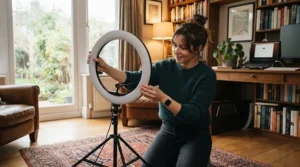
- Place the ring light directly behind or just above the camera. If using a ring light with tripod stand, set the centre of the ring slightly above your eyeline.
- Face the main light source. If a window sits behind you, close the blinds or turn around. Backlight turns you into a silhouette.
- Choose the colour temperature. Start near neutral and match any room light.
- Start dim and build. Increase brightness until your face looks natural, then stop.
- Check Teams’ preview. Look for shadows, glare and colour casts, then adjust in small steps.
- Tidy the cable. A clip or tie keeps the USB lead from tugging your laptop.
Common mistakes in the first 30 days: running at maximum brightness, mixing warm and cool lights, forgetting to re-check the preview after moving, and leaving the light on a loose tripod head.
Maintenance schedule: wipe the diffuser monthly with a dry microfibre cloth, check tripod screws every few weeks, and store clip-ons in a pouch to protect the cable.
Real-World Scenarios: Which Ring Light for Which Person?
Here are three realistic profiles.
The spare-room remote worker (budget £30–£50, six calls a week). A spare room with one overhead light creates harsh shadows. The UBeesize 12 Inch Ring Light gives a big, soft source and doubles for the occasional phone recording. Position it behind the laptop at eye level.
The hybrid commuter (budget £15–£25, calls from different locations). Hotels, trains and co-working spaces mean one clip-on laptop ring light is the practical answer. The Cyezcor Video Conference Lighting Kit is tiny and cheap, while the ACMEZING Clip-On Lighting Kit offers more colour options. Either lives in your laptop bag.
The glasses-wearing client-facing professional (budget £25–£60, daily calls). Lenses and a ring light can clash. The LitONES Desk Ring Light with Stand is a good fit thanks to its edge-lit design, while the Razer Ring Light is a sturdier option if you prefer a classic ring with careful positioning. If glare remains stubborn, the Logitech Litra Glow panel is the next step.
For creators who stream or record daily, the Elgato Ring Light is the only product here that truly earns its cost through brightness and control.
Problem → Solution Guide: Fixing Common Ring Light Headaches
Problem 1: I look washed out. Lower the brightness and shift to a slightly warmer setting. Your webcam’s auto-exposure may also be fighting the light, so switch off the Teams brightness filter.
Problem 2: My face looks orange or blue. Your light and room lights disagree. Match the colour temperature to the room, or switch off competing lamps.
Problem 3: There’s a bright ring in my glasses. Raise the light, shift it off-axis, tilt your glasses slightly and lower the brightness. Consider an edge-lit option like the LitONES Desk Ring Light with Stand.
Problem 4: My tripod keeps drooping. Reduce the weight on the arm, tighten all joints, and spread the legs wider. If it persists, a desk-mounted option like the Elgato Ring Light or Razer Ring Light is more stable.
Problem 5: One side of my face is darker. Move the light closer to the camera’s centre. If a window creates side lighting, close the curtains or use it as a soft fill.
Price Range and Value Analysis
| Tier | Typical products | Price range | Best For |
|---|---|---|---|
| Budget clip-on | Cyezcor Video Conference Lighting Kit, ACMEZING Clip-On Lighting Kit | £12–£25 | Travellers and tight budgets |
| Budget to mid ring | AiXPi 10 Inch Ring Light, UBeesize 12 Inch Ring Light, LitONES Desk Ring Light with Stand | £15–£45 | Everyday home-office use |
| Mid-range | Razer Ring Light | £60–£100 | Sturdy, long-term desk use |
| Premium | Elgato Ring Light | £150–£200 | Heavy daily use and creators |
The pattern is clear: spending beyond roughly £50 buys build quality, stability and control rather than dramatically better face lighting. Consider cost per call: a light costing around £30 used for four calls a week over three years works out at a few pence per call, while a £170 premium light still lands under 30p per call if you use it that heavily. For occasional callers, the budget tiers are the smart play. For all-day users, a sturdier mount and finer control are worth paying for.
Frequently Asked Questions
❓ How much should I spend on a ring light for video calls in the UK?
❓ Can I power a ring light from my laptop's USB port?
❓ Does a ring light work with a built-in laptop webcam?
❓ Are ring lights bad for your eyes?
❓ Do I still need a ring light if I have a good webcam?
Conclusion
Lighting is the cheapest, fastest upgrade you can make to your presence on screen, and a ring light for video calls is the simplest way to do it. For most UK homes, the UBeesize 12 Inch Ring Light is the best-value starting point, the Razer Ring Light is the sturdy desk favourite, and the LitONES Desk Ring Light with Stand is a smart pick for glasses wearers and webcam setups. If you live out of a laptop bag, the Cyezcor Video Conference Lighting Kit and ACMEZING Clip-On Lighting Kit are tiny, cheap fixes, while the AiXPi 10 Inch Ring Light is a sensible budget entry. Heavy daily users and creators can justify the Elgato Ring Light.
Whatever you choose, remember the basics: position the light at eye level, keep brightness modest, match colour temperature to your room, and check the preview before every call. Do that, and your skin tones will look natural, your glasses will behave, and your Microsoft Teams video calls will look sharper than anything a software filter can manage.
Recommended for You
- Floor Lamp For Narrow Hallway: 7 Best Trip-Safe Picks (2026)
- Smart Hallway Lights Alexa Compatible: 7 Best UK Picks (2026)
- Plug-In Night Lights For Hallway: 7 Best Picks For UK Homes (2026)
Disclaimer: This article contains affiliate links. As an Amazon Associate, I earn from qualifying purchases. If you purchase products through these links, we may earn a small commission at no additional cost to you.
✨ Found this helpful? Share it with your friends! 💬🤗
