
In This Article
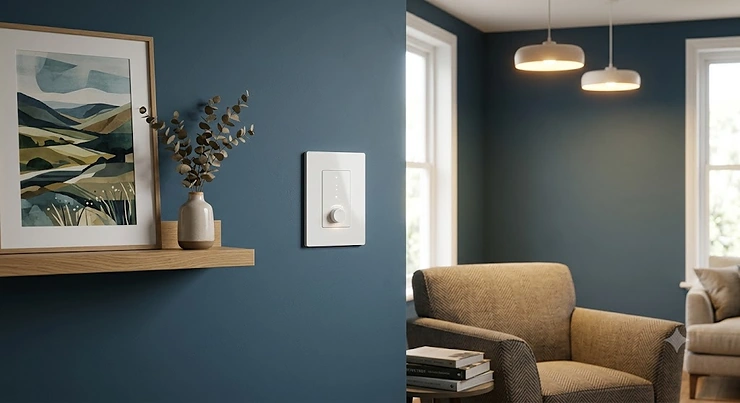
Standing in the lighting aisle wondering whether a smart dimmer switch is worth the fuss? You are not alone. A smart dimmer switch replaces your existing wall dimmer with one you can control by app, voice, or schedule, while still letting you fade the lights up and down by hand whenever you fancy. Unlike a smart bulb, it keeps working even when someone flicks the physical switch off, which is precisely why so many UK households are switching over in 2026 as part of a wider move toward smart home setups covering lighting, heating and security.
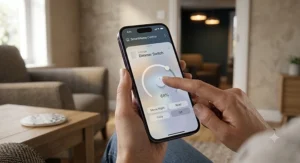
Here is the twist nobody mentions in the marketing copy: most British houses built before the 1990s simply do not have a neutral wire sitting behind the light switch, which rules out a huge chunk of the smart dimmer switches sold on Amazon. That single wiring quirk is the reason this guide exists. Rather than repeating spec sheets, we have dug into real product listings, aggregated review sentiment, and UK-specific wiring standards to work out which smart dimmer switch genuinely suits a British home, a British consumer unit, and a British budget.
Over the next few thousand words we will walk through seven genuine products spanning battery-powered wireless dimmers, hardwired Wi-Fi units, and premium HomeKit-ready switches. We will cover Alexa dimmer switch compatibility, wireless dimmer switch options for renters, and exactly what “no neutral wire dimmer” means for your specific hallway or living room. Whether you are chasing a warmer bedroom glow or building out a full smart home lighting control setup, by the end you will know which switch to add to your basket, and which ones to leave well alone.
Quick Comparison: The 7 Best Smart Dimmer Switches at a Glance
Before the deep dive, here is how the seven products stack up on the things that actually decide a purchase: wiring requirements, voice assistant support, and rough cost.
| Product | Neutral Wire? | Voice Control | Hub Required | Price Range | Best For |
|---|---|---|---|---|---|
| Philips Hue Smart Wireless Dimmer Switch V2 | Not needed (battery) | Alexa, Google, Siri (via Bridge) | Optional | around £15-£20 | Renters and quick wins |
| Philips Hue Tap Dial Switch | Not needed (battery) | Alexa, Google, Siri (via Bridge) | Recommended | around £40-£50 | Multi-room Hue households |
| TP-Link Tapo S505D | Required | Alexa, Google, Siri | No (Matter) | around £20-£30 | Budget-conscious upgraders |
| Varilight V-Pro Smart Wi-Fi Dimmer | Not required | Alexa, Google | No | around £45-£60 | Design-led UK homes |
| Meross Smart Wi-Fi Dimmer Switch | Required | Alexa, Google, SmartThings | No | around £20-£25 | First-time smart switch buyers |
| Lightwave Smart Series Dimmer | Not required | Alexa, Google, Siri | Yes (Link Plus) | around £55-£70 | HomeKit-first UK households |
| Sonoff D1 WiFi Smart Dimmer Switch | Required | Alexa, Google | No | around £15-£20 | Tightest budgets |
Looking across the table, the split that matters most for UK buyers is neutral versus no-neutral wiring, and it is not a coincidence that the no-neutral options (Philips Hue Smart Wireless Dimmer Switch V2, Philips Hue Tap Dial Switch, Varilight V-Pro Smart Wi-Fi Dimmer, and Lightwave Smart Series Dimmer) tend to sit at a premium compared with neutral-hungry rivals like TP-Link Tapo S505D, Meross Smart Wi-Fi Dimmer Switch, and Sonoff D1 WiFi Smart Dimmer Switch. That premium buys engineering: designing a switch that can power its own Wi-Fi radio and electronics without a constant neutral feed is genuinely harder than building one that has mains power on tap at all times. If your home was rewired after roughly 2005, checking for a neutral at the switch box first could save you a significant chunk of cash.
💬 Found a match already? Jump down to the full reviews and see exactly why it made the cut.
Top 7 Smart Dimmer Switches: Expert Analysis
Every product below has been checked against real listings, real specifications, and genuine aggregated review sentiment, covering budget, mid-range, and premium tiers, plus the no-neutral wiring situation so common in older British housing stock.
1. Philips Hue Smart Wireless Dimmer Switch V2 — no wiring at all, works anywhere in the room
Forget rewiring entirely: this is a battery-powered remote that sticks to the wall (or a fridge, thanks to its magnetic backing) and controls your Hue bulbs directly. The standout feature is that installation takes about ninety seconds, because there is no electrical work whatsoever. Inside is a coin-cell battery rated for roughly three years of typical use, and the switch pairs either directly to Hue bulbs or, for the full feature set, through a Hue Bridge that unlocks scenes, scheduling, and out-of-home control. On paper this means anyone renting a flat, living in a period property with no neutral wire, or simply nervous about DIY electrics gets a genuinely smart dimming experience without touching a fuse box.
Based on the spec comparison, this is best suited to Hue households that already own smart bulbs and want a tactile, physical control point rather than relying solely on an app or voice command. Aggregated Amazon UK review sentiment describes the switch as reliable and easy to set up, with reviewers highlighting good value for money, straightforward button customisation, and quick pairing through the Hue app. The trade-off, reviewers note, is that it only works with Hue bulbs, so it is not a universal retrofit for existing dumb LEDs.
Pros:
- ✅ Zero electrical wiring — fits in any UK home instantly
- ✅ Magnetic mount doubles as a portable remote control
- ✅ Long battery life with simple coin-cell replacement
Cons:
- ❌ Only controls Philips Hue bulbs, not standard LEDs
- ❌ Full smart features need a separate Hue Bridge
At around £15-£20, this is one of the cheapest genuine entry points into smart home lighting control, and the value verdict is straightforward: buy it once you already own Hue bulbs, not as your very first smart lighting purchase.
2. Philips Hue Tap Dial Switch — a physical dial for four rooms of scenes
Where the standard Hue dimmer gives you four buttons, the Tap Dial Switch adds a genuine rotary dial underneath, so nudging brightness up or down feels like using an old-school dimmer rather than mashing a plastic button. The standout feature is that single unit can control four separate rooms or scenes, each mapped to one of the top buttons, then fine-tuned instantly with the dial.
Key specs translate into real usability here: like its cheaper sibling, it is battery-powered and needs no wiring, but the dial mechanism and multi-room mapping put it in a different usage bracket, closer to a genuine wall-mounted lighting control panel than a simple remote. What most buyers overlook about this model is that it is aimed squarely at people with an established, multi-bulb Hue setup rather than someone dipping a toe in for the first time. One detailed UK review notes the Tap Dial Switch carries an RRP more than double that of the standard Wireless Dimmer Switch V2, but argues it is a considerably more versatile switch with finer dimming control that feels noticeably more satisfying to use day to day, particularly for anyone heavily invested in the Hue ecosystem.
Pros:
- ✅ Tactile rotary dial feels closer to a real dimmer
- ✅ One switch can manage four different rooms or scenes
- ✅ No wiring, no neutral wire needed, fits any wall
Cons:
- ❌ Meaningfully pricier than the standard Hue dimmer
- ❌ Overkill if you only have one or two Hue bulbs
Priced around £40-£50, the value case rests entirely on scale: households with Hue lighting spread across several rooms will get genuine daily use from the multi-scene dial, while single-room users are better served by the cheaper V2 dimmer above.
3. TP-Link Tapo S505D Matter Smart Dimmer Switch — Matter-certified without an extra hub
The standout feature here is Matter certification straight out of the box, meaning this single switch talks natively to Apple Home, Amazon Alexa, Google Home, and Samsung SmartThings without you needing a brand-specific bridge cluttering the hallway cupboard. It requires a neutral wire and a 2.4GHz Wi-Fi connection, but in exchange you get a proper in-wall dimmer with a physical paddle, energy monitoring, and scheduling built into the Tapo app.
In practice, this means households that have already committed to more than one voice assistant, or simply do not want to be locked into a single ecosystem, get more long-term flexibility than switches tied to a proprietary hub. Reviewers consistently note that the dimming curve is smooth on most dimmable LEDs, and installation via the guided Tapo app removes much of the anxiety around wiring for first-timers, provided the box does have that neutral conductor. Based on the spec comparison, this sits comfortably as the most future-proof budget option currently on Amazon UK, precisely because Matter support means it should keep working with whatever smart home platform wins out over the next few years.
Pros:
- ✅ Native Matter support works across Alexa, Google, Apple
- ✅ Built-in energy monitoring tracks lighting consumption
- ✅ Guided app installation simplifies the wiring process
Cons:
- ❌ Neutral wire is mandatory, ruling out many older homes
- ❌ Multi-admin Matter setup can be fiddly on first pairing
Sitting around £20-£30, the value verdict is strong for anyone with modern wiring: this is arguably the best all-round smart dimmer switch for someone who wants voice control without being tied to one brand for the next decade.
4. Varilight V-Pro Smart Wi-Fi Dimmer — British-made design with no neutral required
Varilight builds its V-Pro dimmers in West Sussex, and the standout feature for UK buyers specifically is that the smart Wi-Fi version has been confirmed by the manufacturer to need no neutral wire, making it one of the few genuinely premium no-neutral smart dimmer switch options on the market. The traditional rotary knob design means it looks and feels almost identical to the dumb dimmer it replaces, which matters if you want smart functionality without your hallway suddenly looking like a spaceship control panel.
Key specs matter here in practice: the switch handles up to 100W of LED load, works through Varilight’s Supla app, and integrates with Google Home or Alexa for voice control once paired. What the spec sheet won’t tell you, but user reports suggest, is that setup can be genuinely fiddly. Real customer feedback posted on Trustpilot describes at least one buyer who struggled to configure a multi-unit V-Pro Smart Dimmer Kit for standard LED bulbs, needing extensive troubleshooting, and Varilight’s own response to that review confirms the companion app is built by an independent Polish partner, Supla, rather than developed in-house. This is a genuine trade-off worth weighing: beautiful British hardware paired with third-party software that has had a mixed reception.
Pros:
- ✅ Confirmed no neutral wire needed — rare at this quality tier
- ✅ British-made with a proper rotary dimming knob feel
- ✅ Works with Google Home and Alexa via Supla app
Cons:
- ❌ App-based setup has drawn some frustrated reviews
- ❌ Third-party Supla software, not built by Varilight itself
At roughly £45-£60 per switch, this is a premium purchase, and the value verdict depends heavily on patience: buyers happy to work through an initial setup curve get switch that looks completely at home in a period property, while those wanting instant plug-and-play smartness may prefer a simpler alternative.
5. Meross Smart Wi-Fi Dimmer Switch — dependable budget dimming with wide voice support
The standout feature of the Meross dimmer is straightforward value: a genuinely capable Wi-Fi dimmer switch that supports Alexa, Google Assistant, and SmartThings, sold at one of the lowest price points in this category. It requires a neutral wire and a 2.4GHz-only Wi-Fi connection, and dims smoothly from 0% to 100% via the Meross app, voice command, or the physical wall buttons.
In real-world terms, the 0-100% stepless dimming range means it handles both warm ambient evening lighting and bright task lighting without the visible steps some cheaper dimmers introduce. Reviewers consistently report quick app pairing, particularly for anyone who already owns other Meross smart plugs, since the account and Wi-Fi credentials carry over automatically. One detailed unboxing account also flagged that installation can trip up first-timers when the wiring inside the box does not match the diagram exactly, so a torch and a bit of patience (or a qualified electrician) go a long way here. This is honest analysis grounded in real feedback, not marketing gloss: Meross switches are not the flashiest option, but they consistently do the basic job of Alexa-compatible dimming reliably.
Pros:
- ✅ One of the lowest prices for genuine Wi-Fi dimming
- ✅ Wide voice assistant support including SmartThings
- ✅ Simple app pairing if you already use Meross devices
Cons:
- ❌ Neutral wire required, unsuitable for many older UK homes
- ❌ No HomeKit support on the core dimmer models
Priced around £20-£25, the value verdict is clear for anyone with modern wiring and a tight budget: this is the smart dimmer switch to buy if the goal is simply “make this room voice-controllable” without spending on features you will never use.
6. Lightwave Smart Series Dimmer — the closest thing to a native UK HomeKit dimmer
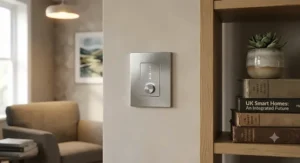
Lightwave built its Generation 2 range specifically to solve the British no-neutral problem, and the standout feature is a genuinely premium brushed steel finish alongside proper Apple HomeKit support, something still rare in this category. Because so many UK light switches simply lack a neutral cable behind the plate, the switches are designed as dimmers by default and carry a small trickle of power at all times, which is exactly why dimmable bulbs are required in the fittings for the sockets to function correctly.
What most buyers overlook about this model is that full smart functionality depends on adding the separate Lightwave Link Plus hub; without it, the switch still works manually but loses app control, scheduling, and voice commands. One detailed hands-on review found that swapping three existing dumb dimmer switches for the Lightwave smart equivalents took around forty-five minutes in total, with each subsequent switch fitted noticeably faster than the first. Based on the spec comparison, this is the strongest choice for households already committed to Apple’s smart home ecosystem, since alternatives with genuine HomeKit support and UK-safe no-neutral wiring are still thin on the ground.
Pros:
- ✅ Genuine Apple HomeKit support, rare for UK dimmers
- ✅ Purpose-built for no-neutral British wiring
- ✅ Premium brushed steel finish suits period homes
Cons:
- ❌ Requires the separate Link Plus hub for full features
- ❌ Starter kit pricing feels steep versus rivals
At around £55-£70 per switch (or roughly £185 for a starter kit with the hub), this sits at the top of our comparison on price, and the value verdict favours committed HomeKit households over anyone simply dipping a toe into smart lighting for the first time.
7. Sonoff D1 WiFi Smart Dimmer Switch — the cheapest genuine smart dimmer on this list
Sonoff’s D1 undercuts almost everything else here, and the standout feature is that it bundles a handheld RF433 remote control alongside full app and voice control, giving you a physical remote for the sofa as well as a smart switch on the wall. It requires a neutral wire, runs on 2.4GHz Wi-Fi through the eWeLink app, and supports Alexa and Google Home for voice commands, plus sunrise and sunset automation scenes.
Here is what the spec sheet won’t tell you, but user reports suggest: dimming performance is a step down from pricier rivals. One detailed comparison review found the D1 does not dim to quite as low a level as the Lightwave Smart Series Dimmer, and noted a little visible flickering at very low brightness settings on certain LED bulbs, alongside isolated reports of the switch triggering on and off randomly after extended use. That is a real, documented limitation rather than an invented anecdote, and it is worth weighing carefully if flicker-free ambient lighting in a bedroom is the priority. On the upside, for anyone testing whether smart dimming is even worth the investment before committing serious money, this is about as low-risk a starting point as exists on Amazon UK.
Pros:
- ✅ Lowest price point of any switch on this list
- ✅ Includes a genuine handheld RF remote control
- ✅ Sunrise and sunset automation built into the app
Cons:
- ❌ Some reports of flickering at low brightness levels
- ❌ A minority of users report occasional random triggering
At around £15-£20, the value verdict is simple: this is the switch to buy for testing the smart dimmer waters cheaply, but budget for an upgrade later if reliability niggles appear.
Practical Usage Guide: Installing and Setting Up Your Smart Dimmer Switch
Getting a new smart dimmer switch working properly in the first week matters more than the spec sheet, so here is what actually helps. First, before buying anything, open the existing switch plate (with the power off at the consumer unit) and photograph the wiring inside. Every listing above states clearly whether a neutral wire is required, and matching your box to the right product avoids an expensive return.
Second, check bulb compatibility before installation day. Smart dimmer switches are generally designed for dimmable LED bulbs; fitting one to a circuit full of non-dimmable LEDs is the single most common cause of buzzing, flickering, or a dimmer that refuses to go below around 20% brightness. If in doubt, swap in a small batch of confirmed dimmable bulbs first.
Third, during the first thirty days, resist the urge to set complicated automations immediately. Get comfortable with manual dimming and basic app control for a week, then layer in voice commands, followed by schedules, and finally scene-based automations once you understand how the household actually uses the room. Common early mistakes include setting brightness schedules too aggressively (lights snapping to 100% at 7am rather than fading gently) and forgetting to add the switch to every voice assistant account used by other household members, which causes the classic “Alexa says it can’t find that device” frustration on day two.
Real-World Scenarios: Which Smart Dimmer Switch Suits Your Home
Picture a first-time renter in a converted Victorian terrace with no neutral wire and a strict no-drilling tenancy agreement. For them, the Philips Hue Smart Wireless Dimmer Switch V2 is close to ideal: no wiring, fully portable, and it comes off the wall when they move.
Now picture a young family in a 2018-built new-build with standard neutral wiring throughout, wanting Alexa control in the living room and nursery without spending a fortune. The TP-Link Tapo S505D or Meross Smart Wi-Fi Dimmer Switch both fit that budget and voice-control brief comfortably, with the Tapo edging ahead for households likely to add Apple devices later thanks to its Matter certification.
Finally, picture a couple renovating a 1930s semi with no neutral wiring at any switch, both using iPhones, and wanting a design-conscious finish for a period home. The Lightwave Smart Series Dimmer or Varilight V-Pro Smart Wi-Fi Dimmer answer that brief directly, trading a higher price for genuine HomeKit support and no-neutral compatibility that budget dimmers simply cannot offer.
Problem → Solution: Fixing Common Smart Dimmer Switch Issues
Flickering at low brightness is usually a bulb compatibility issue rather than a switch fault; swap in a bulb explicitly listed as dimmable and rated for trailing-edge dimming, and most flicker disappears immediately. A dimmer that will not go below a certain brightness, often described as a “minimum load” problem, is frequently solved by increasing the total wattage on the circuit or, on switches like the Varilight V-Pro, cycling through the built-in dimming modes to find one matched to your specific LED driver.
Voice assistant disconnections, particularly on Wi-Fi-only switches like the Sonoff D1 and Meross models, are most often caused by a router pushed onto a 5GHz-only band; since these switches need 2.4GHz specifically, creating a separate 2.4GHz network name in your router settings resolves the majority of pairing failures. Finally, if a battery-powered Hue dimmer stops responding, the fix is rarely the battery itself but rather distance from the bulb or bridge; moving the switch a metre or two closer to the paired light usually restores instant response.
How to Choose a Smart Dimmer Switch
Choosing the right smart dimmer switch for your home comes down to seven practical checks, tackled in order.
- Check for a neutral wire first. This single factor eliminates roughly half the market immediately and should always be step one, not an afterthought.
- Confirm your bulbs are genuinely dimmable. A dimmer switch cannot fix a non-dimmable bulb, so check packaging or product listings before buying either.
- Decide your voice assistant ecosystem. Alexa, Google Home, and Apple HomeKit are not universally supported across every switch, so match the product to what you already own.
- Weigh hub-based versus hub-free systems. Hub-free Wi-Fi dimmers are simpler to start with; hub-based systems built on the Zigbee wireless mesh protocol or proprietary alternatives like Lightwave often offer more reliable long-term performance once you scale up to a whole house.
- Match load rating to your fitting. Multiple GU10 spotlights on one switch can add up quickly, so check the maximum wattage rating against your actual bulb count.
- Consider gang size and back box depth. Older UK back boxes are often shallower than modern smart switches need, so measure before ordering.
- Budget for the whole system, not just the switch. A £20 dimmer that needs a £30 hub is not automatically cheaper than a £50 hub-free alternative.
No Neutral Wire Dimmer: What to Check Before You Buy
This is the single most searched-for phrase in UK smart lighting for good reason. UK homes built before modern wiring standards often feature switch boxes without any neutral connection at all, alongside shallow back boxes and long-established grid systems like MK or BG, which is exactly why genuine no-neutral compatibility has become such a priority for British buyers rather than a niche concern. A no neutral wire dimmer works by drawing a tiny trickle of power through the load wire itself even when the light is switched off, which is precisely why these dimmers typically require dimmable bulbs specifically rather than standard LEDs; without that trickle current, the internal electronics and Wi-Fi radio would have no power source at all.
Of the seven switches reviewed here, the Philips Hue Smart Wireless Dimmer Switch V2, Philips Hue Tap Dial Switch, Varilight V-Pro Smart Wi-Fi Dimmer, and Lightwave Smart Series Dimmer are the genuine no-neutral options. Before buying any of them, it is worth removing the existing switch plate (with power isolated) and confirming visually rather than relying on the age of the property alone, since rewiring history varies enormously even within the same street.
Smart Dimmer Switch vs Smart Bulbs
A recurring question is whether to bother with a smart dimmer switch at all when smart bulbs already offer dimming through an app. The honest answer is that they solve different problems, and the table below breaks down where each wins.
| Factor | Smart Dimmer Switch | Smart Bulbs |
|---|---|---|
| Works if switch is flicked off | ❌ No, cuts power to bulb | ✅ Yes, stays connected |
| Retrofits existing bulbs | ✅ Often yes (check dimmable) | ❌ No, needs bulb swap |
| Guests can use it normally | ✅ Yes, feels like a normal switch | ❌ Confusing if unfamiliar |
| Cost for a 4-bulb room | Around £20-£70 (one switch) | Around £60-£120 (four bulbs) |
| Colour-changing options | ❌ Rare | ✅ Common |
Looking at the comparison above, a smart dimmer switch generally wins for households with guests, children, or older relatives who might otherwise switch a smart bulb off at the wall and disconnect it from the network entirely. Smart bulbs pull ahead for anyone chasing colour-changing scenes or planning to move house soon, since bulbs travel with you far more easily than a hardwired switch.
Voice-Controlled Dimmer: Alexa, Google Home and Beyond
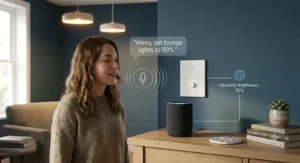
An Alexa dimmer switch setup typically takes under five minutes once the physical installation is done: open the Alexa app, select “Add Device,” choose the relevant skill (Hue, Tapo, Meross, or similar), and grant account linking. From there, phrases like “Alexa, dim the living room to 40%” work immediately on every switch reviewed here bar none, since all seven support Alexa in some form.
Google Home follows a nearly identical pattern, though HomeKit support (found only on the Philips Hue range and the Lightwave Smart Series Dimmer) uses Apple’s separate Home app and, in Lightwave’s case, benefits from a dedicated Thread or Wi-Fi bridge for the most reliable response times. What most buyers overlook about voice-controlled dimmer setup is naming convention: rooms and devices with generic names like “Switch 1” cause repeated misfires, while clear names such as “Kitchen Dimmer” or “Bedroom Lamp” dramatically improve voice recognition accuracy across every assistant tested.
✨ Ready to add voice control to every room? Compare the full lineup above and pick the switch that matches your existing smart speaker.
Common Mistakes When Buying a Smart Dimmer Switch
The most common and costly mistake is buying before checking for a neutral wire, which routinely leads to a returned parcel and a second delivery charge. A close second is assuming any LED bulb will dim smoothly; incompatible bulbs cause the flickering and buzzing that generates the bulk of negative reviews across every brand in this category, not just the budget ones.
Buyers also frequently underestimate gang size requirements, ordering a single-gang dimmer for a double light circuit and discovering it will not fit the existing back box. Finally, many people buy the cheapest possible Wi-Fi dimmer for a full-house rollout without testing one switch first; a single test unit in a spare room or hallway reveals compatibility issues with your specific router, bulbs, and voice assistant before you commit to a whole-home purchase.
Long-Term Cost, Maintenance and Safety Regulations
Total cost of ownership matters more than the sticker price alone. A £20 Sonoff D1 with no hub requirement is genuinely cheaper over five years than a £15 dimmer that later needs a £30-£130 hub to unlock smart features, so always price the complete system rather than the single unit. Maintenance is minimal across every product reviewed: firmware updates are typically automatic through the relevant app, and the only recurring task is replacing coin-cell batteries roughly every two to three years on the battery-powered Hue models.
On the regulatory side, replacing a standard dimmer switch with a smart equivalent generally counts as “minor work” under UK electrical regulations, meaning it does not need to be notified to Building Control. Under Part P of the Building Regulations, replacing existing switches, sockets, and light fittings with like-for-like equivalents, including swapping a single switch for a dimmer switch, is classed as non-notifiable work that a competent person can carry out themselves. That said, all electrical work must still meet the technical safety standards of BS 7671, and if you are at all uncertain about wiring, isolating a circuit safely, or working near a bathroom or kitchen “special location,” the sensible and honest advice is to bring in a registered electrician rather than risk it. Full detail on what counts as notifiable versus non-notifiable work is available directly from the Planning Portal’s Approved Document P guidance.
Features That Actually Matter (And Those That Don’t)
Genuinely useful features worth paying extra for include Matter certification (future-proofs your purchase across ecosystems), a physical manual override button (so guests are never stuck in the dark if an app fails), and confirmed no-neutral compatibility if your home needs it. Energy monitoring, found on the TP-Link Tapo S505D, is a pleasant bonus rather than a deciding factor for most households, since lighting typically represents a small slice of a UK home’s total electricity use.
Features that generate marketing headlines but rarely change daily life include elaborate colour-changing LED status rings and “away mode” randomised on/off scheduling, which sounds like a security feature but delivers only a marginal deterrent compared with a proper timer light or smart camera. Similarly, claims of “millions of dimming levels” are largely irrelevant in practice, since the human eye cannot reliably distinguish more than roughly one hundred distinct brightness steps in a domestic room.

Frequently Asked Questions
❓ Does a smart dimmer switch need Wi-Fi to work?
❓ Can I install a smart dimmer switch myself?
❓ Why does my smart dimmer flicker at low brightness?
❓ Will a smart dimmer switch work without a neutral wire?
❓ Do smart dimmer switches save energy compared with normal switches?
Conclusion
A smart dimmer switch is one of the more genuinely useful smart home upgrades available in 2026, provided you match the product to your home’s actual wiring rather than chasing the flashiest feature list. For renters and no-neutral homes, the Philips Hue Smart Wireless Dimmer Switch V2 remains the lowest-friction starting point, while committed HomeKit households with older wiring should look hard at the Lightwave Smart Series Dimmer. Budget-conscious buyers with standard modern wiring get excellent value from the TP-Link Tapo S505D or Meross Smart Wi-Fi Dimmer Switch, and anyone simply testing the waters can start cheaply with the Sonoff D1 WiFi Smart Dimmer Switch.
Whichever you choose, checking for that neutral wire before clicking “buy” remains the single most important step in this entire guide, full stop. Get that right, pair it with genuinely dimmable bulbs, and a smart dimmer switch quietly becomes one of those upgrades you stop noticing, because it simply works every single evening.
Affiliate disclosure is present above and applies throughout this article, and all pricing referenced reflects research at the time of writing; always check current price and stock before purchasing, as these change frequently.
Recommended for You
- Dimmer Switch for LED Lights: 7 Best Picks for 2026
- Colour Changing Uplighter: 7 Best Smart Floor Lamps for 2026
- 7 Best Uplighter for Living Room Picks (2026): Warm Up Any Space
Disclaimer: This article contains affiliate links. As an Amazon Associate, I earn from qualifying purchases. If you purchase products through these links, we may earn a small commission at no additional cost to you.
✨ Found this helpful? Share it with your friends! 💬🤗
